
You've built your scraper. It handles pagination, parses JSON, rotates headers like a pro. Then you hit a site protected by Arkose Labs and everything stops. Instead of HTML, you get an intseractive puzzle asking you to rotate a 3D gsiraffe until it's upright.
That's FunCaptcha.
And it's one of the hardest CAPTCHAs to deal with programmatically.
This guide covers six methods to bypass FunCaptcha — from simple avoidance tactics to building your own image classifier. Every method here is something you build and control yourself. No paid solver APIs, no managed services.
How to Bypass FunCaptcha
Bypass FunCaptcha by preventing the challenge from appearing (residential proxies, stealth browser settings, human-like timing) or solving it programmatically (audio transcription, custom ML classifiers, token harvesting). Avoidance works for small-scale scraping. High-volume pipelines need an automated FunCaptcha solver you build yourself.
What Is FunCaptcha and How Does It Detect Bots?
FunCaptcha (now officially called Arkose Labs CAPTCHA) is an interactive challenge system that uses mini-games instead of traditional text or image grids. It presents tasks like rotating objects to the correct orientation, matching dice faces, or dragging puzzle pieces into slots. Sites like Microsoft, Roblox, EA, and various financial platforms use it to block automated access.
What makes FunCaptcha harder than reCAPTCHA or hCaptcha is the detection layer underneath the puzzle.
Before you even see a challenge, Arkose Labs collects a browser fingerprint — a blob of encrypted data called BDA (Browser Data Analytics). This fingerprint includes your User-Agent, screen resolution, WebGL renderer info, installed fonts, mouse movement patterns, and dozens of other signals.
If the fingerprint looks suspicious — missing WebGL data, no mouse events, a known datacenter IP — Arkose escalates the challenge difficulty. You might get 3 rounds instead of 1, or harder puzzle variants like the MatchKey type.
The system also enforces time constraints. If you stall for more than about 15 seconds on a challenge, it resets with a new puzzle. And it tracks previous tokens from the same fingerprint, meaning repeat failures from the same browser profile increase suspicion.
Understanding this pipeline is the key to picking the right bypass method.
6 Methods to Bypass FunCaptcha
Here's every approach to bypass FunCaptcha that you can build yourself, ordered from simplest to most complex:
| Method | Difficulty | Cost | Best For | Reliability |
|---|---|---|---|---|
| 1. Avoid triggering it | Easy | Free | Low-volume scraping | High |
| 2. Audio challenge + STT | Medium | Free | Sites with audio fallback | Medium |
| 3. Stealth browser automation | Medium | Free | JS-heavy targets | Medium |
| 4. BDA fingerprint spoofing | Hard | Free | API-level automation | Medium-High |
| 5. Custom image classifier | Hard | Free (GPU time) | High-volume production | Variable |
| 6. Token harvesting | Medium | Low | Mixed workloads | High |
Start with Method 1. If you never trigger the CAPTCHA, you never have to solve it.
Basic Methods
1. Avoid Triggering FunCaptcha Entirely
Best for: Low-to-medium volume scraping where you can afford to go slow.
Most sites don't serve FunCaptcha on every request. They trigger it when something about your traffic pattern looks automated. Fix the pattern, and the CAPTCHA never appears.
The triggers you need to avoid:
Datacenter IPs. Arkose flags AWS, GCP, and Azure IP ranges aggressively. Residential proxies are almost mandatory for Arkose-protected sites. Rotate them per session, not per request — sticky sessions of 5-10 minutes look more human.
Missing browser signals. A raw requests call has no JavaScript execution, no WebGL context, no mouse events. If the site loads Arkose's enforcement script, it will fingerprint your environment and flag it immediately.
Request velocity. Humans don't load 50 pages per minute. Add randomized delays between 3-8 seconds per page load. Jitter matters more than the exact interval.
Here's a basic Playwright setup that avoids most FunCaptcha triggers:
from playwright.sync_api import sync_playwright
import random
import time

def scrape_with_stealth():
    with sync_playwright() as p:
        # Use a real browser with full rendering
        browser = p.chromium.launch(
            headless=False,  # headed mode avoids many detection flags
            args=['--disable-blink-features=AutomationControlled']
        )
        context = browser.new_context(
            viewport={'width': 1920, 'height': 1080},
            user_agent='Mozilla/5.0 (Windows NT 10.0; Win64; x64) '
                       'AppleWebKit/537.36 Chrome/131.0.0.0 Safari/537.36'
        )
        page = context.new_page()

        # Navigate and wait for full load
        page.goto('https://target-site.com', wait_until='networkidle')

        # Simulate human-like delay before interaction
        time.sleep(random.uniform(2, 5))

        content = page.content()
        browser.close()
        return content
The headless=False flag is important. Many Arkose integrations check for headless indicators in the WebGL context and navigator properties. Running headed avoids that entire class of detection.
Tradeoff: This is slow. You're running a full browser per request. But for sites where you need fewer than a few hundred pages, it's the most reliable approach because you're not solving anything — you're preventing the problem.
2. Audio Challenge + Speech-to-Text
Best for: Sites that still expose FunCaptcha's audio fallback.
Older FunCaptcha deployments include an accessibility option that plays audio clips instead of showing visual puzzles. The audio used to be simple spoken digits. You can intercept the audio file, run it through a speech-to-text engine, and submit the transcription.
It outputs solve-rates super successfully, take a look:
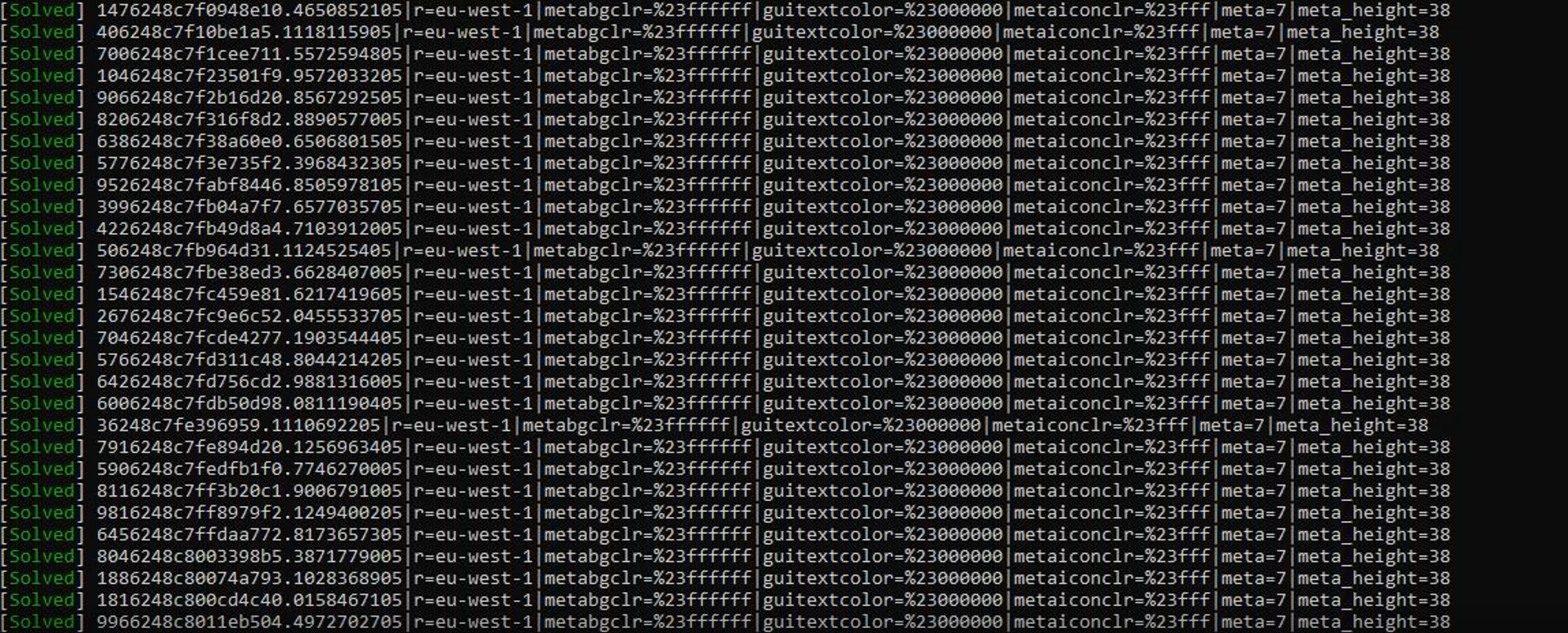
There's a well-known open-source project called Funcaptcha-Audio-Solver on GitHub (377+ stars) that does exactly this. It makes direct API requests to Arkose's endpoints, retrieves the audio challenge, and uses speech recognition to solve it.
The general flow looks like this:
import speech_recognition as sr
from pydub import AudioSegment
import httpx
import os

def solve_audio_challenge(audio_url: str) -> str:
    """Download FunCaptcha audio and transcribe it."""

    # Download the audio file from Arkose's CDN
    response = httpx.get(audio_url)
    with open('challenge.mp3', 'wb') as f:
        f.write(response.content)

    # Convert MP3 to WAV for speech_recognition
    audio = AudioSegment.from_mp3('challenge.mp3')
    audio.export('challenge.wav', format='wav')

    # Transcribe using Google's free STT API
    recognizer = sr.Recognizer()
    with sr.AudioFile('challenge.wav') as source:
        audio_data = recognizer.record(source)
        text = recognizer.recognize_google(audio_data)

    # Clean up temp files
    os.remove('challenge.mp3')
    os.remove('challenge.wav')

    return text
This uses Google's free speech recognition API (not an API key — it's the same endpoint Google Chrome uses for voice input). No payment required.
The catch: Arkose has been phasing out simple digit-based audio in favor of semantic audio challenges like "click when you hear the buzzing bee." These are much harder to solve with basic STT. You need to check whether your target site still serves the digit-based audio variant.
Also, FunCaptcha strictly validates the IP that requested the challenge against the IP that submits the answer. You'll need to route both the challenge request and the answer submission through the same proxy.
Tradeoff: Free and fully self-hosted, but only works on sites with legacy audio challenges. Check your target first before investing time here.
Intermediate Methods
3. Stealth Browser Automation
Best for: Sites where you can't avoid the CAPTCHA trigger but the challenge difficulty stays low.
This method uses a real browser with anti-detection patches to interact with FunCaptcha as a human would. The idea isn't to solve the puzzle programmatically — it's to present such a convincing browser environment that Arkose gives you the easiest possible challenge, then you solve it with minimal automation.
Install the stealth plugins for Playwright:
pip install playwright playwright-stealth
playwright install chromium
Then set up a browser context that looks like a genuine user:
from playwright.sync_api import sync_playwright
from playwright_stealth import stealth_sync

def create_stealth_browser():
    p = sync_playwright().start()
    browser = p.chromium.launch(
        headless=False,
        args=[
            '--disable-blink-features=AutomationControlled',
            '--no-sandbox',
            '--disable-dev-shm-usage',
        ]
    )
    context = browser.new_context(
        viewport={'width': 1920, 'height': 1080},
        locale='en-US',
        timezone_id='America/New_York',
        geolocation={'latitude': 40.7128, 'longitude': -74.0060},
        permissions=['geolocation'],
    )
    page = context.new_page()

    # Apply stealth patches to hide automation indicators
    stealth_sync(page)

    return browser, page
The stealth_sync call patches several browser properties that Arkose checks: navigator.webdriver, chrome.runtime, WebGL vendor strings, and the Permissions API behavior. Without these patches, Arkose's enforcement script detects Playwright within milliseconds.
For the actual puzzle interaction, you can use Playwright's mouse API to click the arrow buttons that rotate the 3D object:
async def click_rotation_arrows(page, direction='right', clicks=1):
    """Click FunCaptcha rotation arrows."""
    for _ in range(clicks):
        # Arkose's rotation buttons are inside an iframe
        frame = page.frame_locator('iframe[title*="challenge"]')

        if direction == 'right':
            await frame.locator('[aria-label="rotate right"]').click()
        else:
            await frame.locator('[aria-label="rotate left"]').click()

        # Human-like pause between clicks
        await page.wait_for_timeout(random.randint(400, 800))
The missing piece is knowing how many clicks to make. That's where this method hits its limit — without image recognition, you're either guessing or combining this with Method 5 (the ML classifier).
Tradeoff: Great browser fingerprint, but you still need something to determine the correct answer. Works best combined with other methods. On its own, it's useful when the challenge is simple enough (like a single rotation) that a few random attempts succeed within the allowed retries.
4. BDA Fingerprint Spoofing
Best for: High-volume automation where browser overhead is too expensive.
This is the most technical approach. Instead of running a real browser, you reverse-engineer Arkose's JavaScript to generate valid BDA blobs — the encrypted fingerprint data that Arkose uses to validate requests.
The BDA contains dozens of fields: User-Agent, screen dimensions, WebGL renderer strings, installed plugins, timezone, language, and behavioral metrics. It's encrypted with AES-CBC using a key derived from the User-Agent string concatenated with the current timestamp.
Open-source projects like unfuncaptcha on GitHub have partially reverse-engineered this process. The basic structure:
import json
import hashlib
from Crypto.Cipher import AES
from Crypto.Util.Padding import pad
import base64
import time

def generate_bda(user_agent: str) -> str:
    """Generate an Arkose Labs BDA fingerprint blob."""

    timestamp = str(int(time.time()))

    # The fingerprint data Arkose expects
    fp_data = {
        "user_agent": user_agent,
        "screen_width": 1920,
        "screen_height": 1080,
        "webgl_vendor": "Google Inc. (NVIDIA)",
        "webgl_renderer": "ANGLE (NVIDIA, NVIDIA GeForce GTX 1080)",
        "timezone_offset": -300,  # EST
        "language": "en-US",
        "platform": "Win32",
        "plugins_hash": hashlib.md5(b"Chrome PDF Plugin").hexdigest(),
        "canvas_hash": hashlib.md5(timestamp.encode()).hexdigest(),
        # ... many more fields required
    }

    plaintext = json.dumps(fp_data).encode('utf-8')

    # AES-CBC encryption with UA + timestamp as key material
    key_material = (user_agent + timestamp).encode('utf-8')
    key = hashlib.sha256(key_material).digest()[:16]
    iv = hashlib.md5(key_material).digest()

    cipher = AES.new(key, AES.MODE_CBC, iv)
    encrypted = cipher.encrypt(pad(plaintext, AES.block_size))

    return base64.b64encode(encrypted).decode('utf-8')
Warning: The code above is a simplified illustration. The actual BDA structure has 50+ fields and the encryption scheme changes when Arkose updates their JavaScript. You'll need to deobfuscate their current fc/api/ scripts to get the exact format.
The other piece you need is tguess — a proof-of-work hash that Arkose requires alongside the BDA. Community repos on GitHub have shared utilities for computing this, but it changes frequently.
Tradeoff: No browser overhead means you can run thousands of requests per minute. But you're in a constant arms race with Arkose's engineering team. Every time they update their JS, your BDA generator breaks and needs re-engineering. Budget for 5-10 hours of maintenance per month.
Advanced Methods
5. Custom Image Classifier for Puzzle Solving
Best for: Teams with ML experience who need high-volume, fully automated solving.
FunCaptcha's visual challenges fall into a few categories: object rotation (rotate until upright), dice matching (pick pairs that sum to a target), icon matching, and drag-to-slot puzzles. Each category can be modeled as an image classification or regression task.
For the most common challenge — rotating a 3D object to the correct orientation — you're solving a regression problem: given an image, predict the rotation angle (0°, 90°, 180°, or 270°).
The pipeline looks like this:
Step 1: Collect training data. Use a stealth browser (Method 3) to load FunCaptcha challenges, screenshot the puzzle images, and manually label the correct rotation. You need 500-1000 labeled samples per challenge variant to get reasonable accuracy.
Step 2: Train a classifier. A ResNet-18 or EfficientNet-B0 fine-tuned on your dataset works well for rotation detection. Four-class classification (0°, 90°, 180°, 270°) with standard cross-entropy loss.
import torch
import torchvision.models as models
import torchvision.transforms as transforms
from torch.utils.data import DataLoader, Dataset
from PIL import Image
import os

class FunCaptchaDataset(Dataset):
    def __init__(self, root_dir, transform=None):
        self.samples = []
        self.transform = transform
        # Expect folders: 0/, 90/, 180/, 270/
        for label, angle in enumerate(['0', '90', '180', '270']):
            folder = os.path.join(root_dir, angle)
            for fname in os.listdir(folder):
                self.samples.append((
                    os.path.join(folder, fname), label
                ))

    def __len__(self):
        return len(self.samples)

    def __getitem__(self, idx):
        path, label = self.samples[idx]
        img = Image.open(path).convert('RGB')
        if self.transform:
            img = self.transform(img)
        return img, label

# Fine-tune a pretrained ResNet-18
model = models.resnet18(pretrained=True)
model.fc = torch.nn.Linear(512, 4)  # 4 rotation classes

transform = transforms.Compose([
    transforms.Resize((224, 224)),
    transforms.ToTensor(),
    transforms.Normalize([0.485, 0.456, 0.406],
                         [0.229, 0.224, 0.225])
])
After training, inference takes under 50ms per image on a modest GPU — well within Arkose's 15-second timeout.
Step 3: Integrate with the browser. Screenshot the challenge iframe, crop the puzzle image, run it through your model, and click the appropriate number of rotation arrows.
The hard part: Arkose rotates challenge types. Your rotation classifier won't help when Arkose switches to dice-matching or icon-sorting. Each new puzzle type needs its own model and training data. One BlackHatWorld user reported their model worked for months until Arkose introduced MatchKey challenges, which broke everything.
Tradeoff: Once trained, it's fast and free to run. But collecting training data is tedious, and you'll need to retrain whenever Arkose introduces new challenge variants. Plan for ongoing maintenance.
6. Token Harvesting From Real Browsers
Best for: Mixed workloads where you need guaranteed solves for a subset of requests.
Token harvesting is a semi-automated approach. You run one or more real browser instances (on your own machines or cheap VPS nodes), navigate them to the target page, and solve the FunCaptcha — manually or with lightweight automation.
Your scraper then uses those pre-solved tokens for its requests.
The architecture:
[Harvester Pool]          [Token Queue]         [Scraper]
Browser 1 ──solve──►  ┌──────────────┐  ◄──get── Worker 1
Browser 2 ──solve──►  │  Redis/RQ    │  ◄──get── Worker 2
Browser 3 ──solve──►  │  token store │  ◄──get── Worker 3
                      └──────────────┘
Here's a minimal harvester using Playwright and Redis:
import redis
import json
import time
from playwright.sync_api import sync_playwright
from playwright_stealth import stealth_sync

r = redis.Redis(host='localhost', port=6379, db=0)

def harvest_token(target_url: str, timeout_ms: int = 60000):
    """Open target page, wait for CAPTCHA solve, extract token."""
    with sync_playwright() as p:
        browser = p.chromium.launch(headless=False)
        page = browser.new_page()
        stealth_sync(page)

        page.goto(target_url, wait_until='networkidle')

        # Wait for the FunCaptcha token to appear in the DOM
        # after manual or automated solving
        token_el = page.wait_for_selector(
            '#FunCaptcha-Token, #verification-token',
            timeout=timeout_ms
        )

        raw_token = token_el.get_attribute('value')

        # Push the solved token to Redis
        r.rpush('funcaptcha_tokens', json.dumps({
            'token': raw_token,
            'timestamp': int(time.time()),
            'url': target_url
        }))

        browser.close()
        return raw_token
On the scraper side, pull a token before each request that requires one:
def get_solved_token(timeout: int = 30) -> str:
    """Block until a solved token is available."""
    result = r.blpop('funcaptcha_tokens', timeout=timeout)
    if result:
        data = json.loads(result[1])
        # Tokens expire — check freshness
        if time.time() - data['timestamp'] < 120:
            return data['token']
    raise TimeoutError("No fresh tokens available")
Important: FunCaptcha tokens are single-use and time-limited. Most tokens expire within 2-3 minutes. Your harvester needs to produce tokens faster than your scraper consumes them, and there's no point stockpiling hundreds — only the freshest ones work.
Also, the token is tied to the session that generated it. If Arkose validates the IP or cookies alongside the token, you'll need your scraper to use the same proxy and session cookies as the harvester.
Tradeoff: Reliable solving with a real browser means near-100% success rate. The bottleneck is throughput — each browser instance solves maybe 10-20 CAPTCHAs per hour depending on challenge difficulty. Scale by adding more harvester instances.
Which Method Should You Use?
| Your Situation | Start With | Fall Back To |
|---|---|---|
| Scraping < 100 pages/day | Method 1 (avoidance) | Method 3 (stealth browser) |
| Target has audio challenges | Method 2 (audio + STT) | Method 6 (harvesting) |
| Need high volume, have ML skills | Method 5 (image classifier) | Method 4 (BDA spoofing) |
| Need guaranteed solves, any volume | Method 6 (harvesting) | Method 5 + Method 3 combined |
| API-level speed, no browser | Method 4 (BDA spoofing) | Method 6 (harvesting) |
The honest answer: there's no single method that works perfectly for everyone. FunCaptcha is specifically designed to make automated solving expensive and unreliable.
The most resilient setups combine multiple methods — avoidance (Method 1) for 80% of requests and token harvesting (Method 6) for the 20% that still trigger a challenge.
Can You Bypass FunCaptcha for Free?
Yes — every method in this guide is free to run. You don't need a paid CAPTCHA-solving API.
Search for "bypass FunCaptcha free" or "FunCaptcha solver free" and you'll find dozens of services offering to solve CAPTCHAs for $2-3 per thousand. Those work, but they add a per-request cost that scales linearly. At 100k solves per month, you're paying $200-300 just for CAPTCHA tokens.
The self-built methods here cost $0 in API fees. Your costs are infrastructure: the VPS or local machine running your browser instances, and the residential proxies routing your traffic. Proxies are the one expense you can't avoid — Arkose flags datacenter IPs too aggressively.
For the "bypass FunCaptcha online" crowd — there's no reliable online tool that solves FunCaptcha without an API key or payment. The interactive puzzle format makes browser-less solving impractical. You need either a real browser environment or a valid BDA fingerprint, neither of which a web form can provide.
The free path requires more upfront engineering. But once your pipeline is built, there are no marginal costs per solve.
Testing Your Solver With the FunCaptcha Demo
Before pointing your solver at a production site, test it against Arkose's own demo page. This saves you from getting your IPs flagged while you're still debugging.
Arkose hosts a public demo at https://client-demo.arkoselabs.com/. It serves the same challenge types as production deployments — rotation puzzles, dice matching, icon sorting — but without the aggressive fingerprinting and rate limiting.
To extract the public key and service URL from the demo for your solver:
from playwright.sync_api import sync_playwright

def get_demo_params():
    with sync_playwright() as p:
        browser = p.chromium.launch(headless=False)
        page = browser.new_page()
        page.goto('https://client-demo.arkoselabs.com/')

        # Wait for FunCaptcha to initialize
        page.wait_for_selector('#FunCaptcha-Token', state='attached')

        # Extract the public key and service URL from the token
        token_value = page.input_value('#FunCaptcha-Token')
        params = dict(
            item.split('=', 1) for item in token_value.split('|')
            if '=' in item
        )

        print(f"Public Key: {params.get('pk')}")
        print(f"Service URL: {params.get('surl')}")

        browser.close()
You can also find the public key in the page's HTML by searching for the data-pkey attribute on the FunCaptcha div element, or inside the hidden input named fc-token.
Test each method here against the demo first. Once your solve rate exceeds 80%, move to your actual target.
FunCaptcha Solver GitHub Repos Worth Watching
The open-source community around FunCaptcha is small but active. These repos are worth bookmarking:
useragents/Funcaptcha-Audio-Solver — Python, 377+ stars. Request-based solver using speech recognition for audio challenges. Good starting point for Method 2.
noahcoolboy/unfuncaptcha — Reverse-engineered BDA blob generation and tguess computation. The foundation for Method 4. Not always up to date with Arkose's latest JS changes, but the architecture is solid.
MoterHaker/bypass-captcha-examples — Multi-service bypass examples including Amazon FunCaptcha and Roblox Arkose Labs. Useful for understanding site-specific integration patterns.
GitHub topic: funcaptcha — Python-filtered list of all FunCaptcha-related repos. New tools appear here regularly.
No browser extension reliably solves FunCaptcha without a paid backend. If you've seen "FunCaptcha solver extension" results — those are frontends for paid APIs like 2Captcha or CapSolver.
The extension intercepts the challenge on the page and sends it to a remote solver. That's a paid service with a Chrome wrapper, not a free tool.
If you want a browser-based workflow without paying per solve, build a token harvester (Method 6) instead. Same concept — a browser solves the CAPTCHA — but you own the infrastructure.
Bypassing FunCaptcha on Roblox, Microsoft, and LinkedIn
Different sites integrate Arkose Labs differently, which changes your bypass strategy.
FunCaptcha on Roblox
Roblox uses FunCaptcha on login, signup, and certain in-game purchase flows. Their implementation is aggressive — even legitimate users complain about getting 8+ rounds of challenges.
Roblox enforces strict IP reputation checks. Datacenter IPs almost always trigger the hardest challenge variant. Residential proxies are mandatory, and mobile carrier IPs (4G/5G) tend to get the lowest friction.
The "bypass FunCaptcha APK" searches you see online mostly reference Android-based automation — running Roblox's mobile web flow through an emulated Android environment.
Mobile fingerprints sometimes receive easier challenges because Arkose's mobile detection is less mature than desktop. However, this requires an Android emulator with proper device spoofing, which adds significant complexity.
FunCaptcha on Microsoft (Outlook, Xbox)
Microsoft deploys Arkose on Outlook account creation, Xbox account flows, and some Azure login pages. Their integration uses the data[blob] parameter — an encrypted payload that ties the challenge to the current session.
If you're trying to bypass FunCaptcha on Microsoft properties, you must capture the blob value before requesting the challenge. The blob is generated client-side and changes per session. Without it, Arkose rejects the solve attempt even if the puzzle answer is correct.
Extract it by intercepting the POST request to /fc/gt2/public_key/:
async def capture_blob(page):
    """Intercept Microsoft's FunCaptcha blob parameter."""
    blob_data = {}

    async def handle_request(request):
        if '/fc/gt2/public_key/' in request.url:
            post_data = request.post_data or ''
            if 'data[blob]' in post_data:
                from urllib.parse import parse_qs
                params = parse_qs(post_data)
                blob_data['blob'] = params.get('data[blob]', [''])[0]
                blob_data['pk'] = request.url.split('/public_key/')[1].split('/')[0]

    page.on('request', handle_request)
    return blob_data
Skip this step and your token will silently fail validation on Microsoft's backend.
FunCaptcha on LinkedIn
LinkedIn uses Arkose during login when suspicious activity is detected. Their implementation is relatively standard — no blob parameter — but they enforce tight IP-to-session binding. The proxy you use to load the login page must be the same proxy that submits the solved token and the subsequent login request.
Is Bypassing FunCaptcha Illegal?
This comes up often, so let's address it directly.
Bypassing a CAPTCHA is not inherently illegal in most jurisdictions. CAPTCHAs are access controls, not legal barriers. However, what you do after bypassing it matters enormously.
Accessing a computer system without authorization can violate the Computer Fraud and Abuse Act (CFAA) in the US, the Computer Misuse Act in the UK, or equivalent laws elsewhere.
If the site's Terms of Service explicitly prohibit automated access and you proceed anyway, you're on shaky legal ground.
The practical reality for web scraping: courts have generally drawn the line at accessing publicly available data. The 2022 hiQ v. LinkedIn ruling affirmed that scraping public data doesn't violate the CFAA.
But if you're bypassing a CAPTCHA to access non-public data, create accounts, or perform actions the site owner hasn't consented to — that's a different legal picture.
Three guidelines to stay on the right side:
Check for APIs first. If the site offers the data through a documented API, use it. Bypassing the CAPTCHA to access data that's available through official channels is unnecessary risk.
Respect rate limits and robots.txt. Even if you can send 1000 requests per minute, don't. Degrading site performance for real users turns a civil matter into something more serious.
Scrape only public data. If you need to log in, create accounts, or access restricted content, get explicit permission or consult a lawyer.
This guide is for educational and research purposes. Your jurisdiction, your target, and your use case determine what's legal for you — not a blog post.
Can You Disable FunCaptcha on a Site You Don't Own?
No. FunCaptcha is a server-side protection — it's not a browser setting or plugin you can toggle off. The site owner decides when to deploy Arkose Labs challenges, and only they can disable it.
What you can control is whether the CAPTCHA triggers for your requests. That's what Method 1 (avoidance) is about. If your traffic looks human enough — residential IP, real browser fingerprint, reasonable timing — many Arkose integrations won't serve the challenge at all.
If you're getting FunCaptcha challenges on a site you legitimately use (not scraping), try switching browsers, clearing cookies, or using a different network. Arkose's risk scoring considers your browser history and IP reputation. A fresh profile on a clean residential connection often passes without a challenge.
Troubleshooting FunCaptcha Bypass Issues
"challenge_expired" or empty token after solving
Why: You took too long. Arkose resets challenges after roughly 15 seconds of inactivity. If your ML model or audio transcription pipeline is slow, the token generated from your solve is already invalid by the time you submit it.
Fix: Optimize your solving pipeline to complete within 10 seconds. For ML classifiers, use ONNX Runtime instead of raw PyTorch for 3-5x faster inference. For audio, preload the speech recognition model.
403 response even with a valid token
Why: IP mismatch. Arkose validates that the IP which requested the challenge matches the IP submitting the solved token. If your harvester uses one proxy and your scraper uses another, the token gets rejected.
Fix: Route both the challenge request and the token submission through the same proxy. With residential proxies, use sticky sessions lasting at least 5 minutes.
Challenge difficulty keeps escalating (8+ rounds)
Why: Your browser fingerprint is flagged. Arkose tracks fingerprints across sessions and escalates difficulty for repeat offenders. If the same WebGL hash or canvas fingerprint keeps requesting challenges, you'll get harder puzzles.
Fix: Rotate browser profiles, not just IPs. Each profile needs a unique combination of screen resolution, WebGL renderer, timezone, and language settings. The playwright-stealth library handles some of this, but for production you'll want to build a profile rotation system.
"CAPTCHA not detected" — no challenge appears
Why: Two possibilities. Either your avoidance strategy is working perfectly (good news), or the site loads FunCaptcha dynamically after JavaScript execution and your selector is running too early.
Fix: Wait for the Arkose enforcement script to load before checking for the challenge element. Look for network requests to client-api.arkoselabs.com in your browser's DevTools to confirm the CAPTCHA is initialized.
Wrapping Up
FunCaptcha is one of the toughest CAPTCHAs to automate against. The fingerprinting layer, rotating puzzle types, and time constraints make it a genuinely difficult engineering challenge. But you can bypass FunCaptcha reliably with the right combination of techniques.
Your best bet is a layered strategy: avoid triggering the CAPTCHA when possible (residential proxies, stealth browser settings, human-like timing), and have a solving method ready for when avoidance fails. For most scraping projects, combining Methods 1 and 6 — avoidance plus token harvesting — gives the best reliability-to-effort ratio.
The methods here will keep evolving as Arkose updates their detection. Bookmark the Arkose Labs GitHub topic and the relevant open-source repos to stay current with community developments.








![IPRoyal vs Oxylabs: Which provider is better? [2026]](https://cdn.roundproxies.com/blog-images/2026/02/iproyal-vs-oxylabs-1.png)