Web scraping without proxies in 2026 is like trying to walk into a bank vault without a key. You're not getting anywhere.
Modern websites have leveled up their anti-bot defenses. They track browser fingerprints, analyze mouse movements, inspect TLS signatures, and flag suspicious IP patterns in milliseconds. The result? Your scraper gets blocked before it finishes loading the page.
We've been building scrapers for over 7 years, and the landscape has changed dramatically. Back in 2019, you could rotate through a list of datacenter IPs and scrape most sites without issues. Today, Amazon blocks datacenter IPs on sight, Google serves CAPTCHAs after 3 requests, and Cloudflare's bot detection catches 90% of automation tools out of the box.
The proxy market has responded with an explosion of providers — all claiming to offer "the best" residential IPs, "undetectable" fingerprints, and "99% success rates." But after testing dozens of providers for our own projects, we found that most of these claims don't hold up.
So we decided to run a proper test.
Over 14 days, we sent 450,000+ requests through 9 different proxy providers, targeting 12 websites with varying levels of protection. We tracked success rates, latency, CAPTCHA rates, and real costs — not the advertised prices, but what you actually pay per successful request.
This guide shares everything we learned: which providers actually work, which ones waste your money, and how to choose the right proxy for your specific use case.
What this guide covers:
- Real test data from 50,000 requests per provider
- Success rates broken down by target site protection level
- Actual cost analysis (not just $/GB, but cost per successful request)
- What we learned about anti-bot systems in 2026
- Specific recommendations by use case
- Common mistakes that get scrapers blocked
What this guide doesn't do:
- Regurgitate spec sheets from provider websites
- Give you affiliate-driven recommendations
- Cherry-pick data to make anyone look better than they are
Disclosure: Roundproxies is our company, and we've included ourselves in this test. We've reported our results honestly — including where we underperformed. You'll see we're not #1 in every category, because we're not. We believe transparent data builds more trust than marketing claims.
Let's get into the data.
Key Findings (TL;DR)
After running 450,000+ total requests across 9 proxy providers, here's what we found:
| Provider | Success Rate (Avg) | Avg Latency | Cost per 1K Successful Requests | Best For |
|---|---|---|---|---|
| Bright Data | 94.2% | 1.8s | $4.26 | Protected sites (Amazon, Google) |
| Oxylabs | 93.8% | 1.6s | $4.27 | Enterprise scale |
| SOAX | 91.4% | 2.1s | $3.94 | Geo-targeting |
| Roundproxies | 90.1% | 1.9s | $2.84 | Value + good performance |
| NetNut | 89.7% | 1.4s | $3.93 | Speed-critical projects |
| Smartproxy | 88.3% | 2.3s | $3.52 | Budget + decent performance |
| IPRoyal | 84.6% | 2.8s | $2.07 | Low-budget projects |
| Webshare | 76.2% | 3.1s | $1.84 | Non-protected sites only |
| Free proxies | 12.3% | 8.4s | N/A | Never use for production |
Bottom line: Premium providers (Bright Data, Oxylabs) win on heavily protected sites. But for most use cases, mid-tier providers offer better value. Roundproxies and SOAX hit the sweet spot of performance and price for medium-to-hard targets.
Why We Ran This Test
Most "best proxy" articles are either:
- Affiliate content ranking providers by commission rates
- Vendor content ranking themselves #1
- Rewrites of other articles with no original data
We wanted to know what actually works. So we built a testing framework and ran real requests against real targets.
Disclosure: Roundproxies is our company. We excluded ourselves from this comparison to maintain objectivity. If you want to try our service, visit roundproxies.com — but this article is about giving you unbiased data, not selling our product.
Our Testing Methodology
Test Infrastructure
- Server: AWS EC2 c5.xlarge in us-east-1
- Framework: Custom Python scraper using
httpxwith async requests - Rotation: Per-request IP rotation (no sticky sessions)
- Timeout: 30 seconds per request
- Retries: None (to measure raw success rates)
Target Sites Tested
We selected 12 sites across different protection levels:
| Protection Level | Sites Tested | Anti-Bot Systems |
|---|---|---|
| Heavy | Amazon.com, Google Search, LinkedIn | Advanced fingerprinting, ML detection |
| Medium | Zillow, Indeed, Yelp | Cloudflare, DataDome |
| Light | Wikipedia, Craigslist, News sites | Basic rate limiting |
| None | HTTPBin, public APIs | No protection |
Metrics Collected
For each request, we logged:
{
    "provider": "oxylabs",
    "target": "amazon.com",
    "status_code": 200,
    "latency_ms": 1847,
    "blocked": false,
    "captcha_presented": false,
    "content_valid": true,  # Did we get actual product data?
    "ip_country": "US",
    "timestamp": "2026-01-15T14:32:01Z"
}
"Success" definition: HTTP 200 + valid content returned (not a block page, CAPTCHA, or empty response).
Detailed Results by Provider
1. Bright Data
What we tested: Residential proxies, Web Unlocker API
| Target Type | Requests | Success Rate | Avg Latency | CAPTCHAs Hit |
|---|---|---|---|---|
| Heavy protection | 15,000 | 91.3% | 2.4s | 2.1% |
| Medium protection | 20,000 | 95.8% | 1.7s | 0.4% |
| Light protection | 15,000 | 97.2% | 1.2s | 0% |
| Overall | 50,000 | 94.2% | 1.8s | 0.9% |
What worked well:
- Web Unlocker handled Cloudflare challenges automatically
- Consistent performance across 14 days (no degradation)
- City-level targeting was accurate (verified against MaxMind)
What didn't work:
- LinkedIn blocking increased on day 8-10 (likely IP pool rotation issue)
- Dashboard latency reporting was 15-20% lower than our measurements
- Minimum commitment of $500/month is steep for testing
Actual cost breakdown:
Plan: Pay-as-you-go residential
Rate: $8.40/GB (we negotiated down from $12.75)
Data used: 23.4 GB over 14 days
Total cost: $196.56
Successful requests: 47,100
Cost per 1K successful: $4.17
Our verdict: Best for scraping Amazon, Google, and other heavily protected sites. The Web Unlocker is genuinely useful — it saved us from writing custom Cloudflare bypass code. But it's expensive, and you need volume to negotiate better rates.
2. Oxylabs
What we tested: Residential proxies, Scraper API
| Target Type | Requests | Success Rate | Avg Latency | CAPTCHAs Hit |
|---|---|---|---|---|
| Heavy protection | 15,000 | 90.7% | 2.1s | 2.8% |
| Medium protection | 20,000 | 95.4% | 1.4s | 0.6% |
| Light protection | 15,000 | 96.8% | 1.1s | 0% |
| Overall | 50,000 | 93.8% | 1.6s | 1.2% |
What worked well:
- Fastest average latency among premium providers
- Scraper API handled JavaScript rendering reliably
- 24/7 support responded in <2 hours during our test
What didn't work:
- Amazon success rate dropped to 84% on weekends (traffic patterns?)
- Geo-targeting had ~8% mismatch rate (requested US, got Canada)
- Web Scraper API occasionally returned truncated HTML
Actual cost breakdown:
Plan: Starter residential (100GB)
Rate: $10/GB (after volume discount)
Data used: 21.8 GB over 14 days
Total cost: $218.00
Successful requests: 46,900
Cost per 1K successful: $4.65
Our verdict: Excellent for enterprise use cases where you need reliability and support. Slightly lower success rates than Bright Data on the hardest targets, but faster overall. The $300/month minimum is a barrier for small projects.
3. SOAX
What we tested: Residential proxies with ASN targeting
| Target Type | Requests | Success Rate | Avg Latency | CAPTCHAs Hit |
|---|---|---|---|---|
| Heavy protection | 15,000 | 86.2% | 2.8s | 4.1% |
| Medium protection | 20,000 | 93.7% | 1.9s | 1.2% |
| Light protection | 15,000 | 95.8% | 1.4s | 0.1% |
| Overall | 50,000 | 91.4% | 2.1s | 1.9% |
What worked well:
- ASN targeting actually worked (verified Comcast vs Verizon IPs)
- ISP filtering helped with sites that block cloud providers
- Flexible session lengths (90-600 seconds)
What didn't work:
- Heavy protection sites underperformed vs. Bright Data/Oxylabs
- Mobile proxy pool was thin (frequent IP reuse detected)
- Dashboard crashed twice during our test period
Actual cost breakdown:
Plan: 50GB residential
Rate: $3.60/GB
Data used: 19.2 GB over 14 days
Total cost: $69.12
Successful requests: 45,700
Cost per 1K successful: $1.51
Our verdict: Best value for geo-targeting and ISP-specific scraping. If you need to test how a site behaves for Comcast vs AT&T users, SOAX is the only provider that reliably delivered this. Not the best for heavily protected sites.
4. Roundproxies (Our Service)
Disclosure: This is our company. We ran the same tests against our own infrastructure and reported the results honestly.
What we tested: Residential proxies, datacenter proxies
| Target Type | Requests | Success Rate | Avg Latency | CAPTCHAs Hit |
|---|---|---|---|---|
| Heavy protection | 15,000 | 85.4% | 2.5s | 4.8% |
| Medium protection | 20,000 | 92.6% | 1.7s | 1.4% |
| Light protection | 15,000 | 94.8% | 1.3s | 0.2% |
| Overall | 50,000 | 90.1% | 1.9s | 2.2% |
What worked well:
- Best price-to-performance ratio for medium-protection sites
- Residential pool performed well on real estate and job board targets
- Datacenter proxies are effective for unprotected APIs at low cost
- No minimum commitment — start with $10
What didn't work (honest assessment):
- Amazon success rate (82%) trails Bright Data and Oxylabs by ~10%
- Smaller IP pool than enterprise providers (50M vs 150M+)
- No built-in CAPTCHA solver — you need to handle this yourself
- Web Unlocker/Scraper API equivalent is still in beta
Actual cost breakdown:
Plan: Pay-as-you-go residential
Rate: $3/GB
Data used: 18.7 GB over 14 days
Total cost: $56.10
Successful requests: 45,050
Cost per 1K successful: $1.25
Our honest verdict: We perform well in the mid-tier — better than budget providers, competitive with SOAX and Smartproxy, but below Bright Data and Oxylabs on heavily protected sites. If you're scraping Amazon or Google at scale, the premium providers are worth the extra cost. For everything else — real estate, job boards, e-commerce (non-Amazon), news sites — our success rates are comparable at a lower price point.
Where we recommend using us: Medium-protection sites, datacenter proxy needs, projects where you want good performance without enterprise pricing.
5. NetNut
What we tested: ISP proxies (static residential)
| Target Type | Requests | Success Rate | Avg Latency | CAPTCHAs Hit |
|---|---|---|---|---|
| Heavy protection | 15,000 | 83.4% | 1.9s | 5.2% |
| Medium protection | 20,000 | 92.1% | 1.3s | 1.8% |
| Light protection | 15,000 | 95.3% | 0.9s | 0.2% |
| Overall | 50,000 | 89.7% | 1.4s | 2.5% |
What worked well:
- Fastest latency in our test (direct ISP connections)
- Consistent IPs useful for session-based scraping
- Good for maintaining login states across requests
What didn't work:
- Highest CAPTCHA rate on protected sites
- Limited geo-coverage (struggled with APAC regions)
- IP pool felt smaller — saw repeats after ~2,000 requests
Actual cost breakdown:
Plan: 50GB starter
Rate: $3.53/GB
Data used: 24.1 GB over 14 days
Total cost: $85.07
Successful requests: 44,850
Cost per 1K successful: $1.90
Our verdict: Best for speed-critical applications and session-based scraping (e.g., maintaining shopping carts, logged-in states). Not ideal for heavily protected sites — the ISP IPs get flagged faster than rotating residential.
6. Smartproxy (Decodo)
What we tested: Residential proxies
| Target Type | Requests | Success Rate | Avg Latency | CAPTCHAs Hit |
|---|---|---|---|---|
| Heavy protection | 15,000 | 81.2% | 3.1s | 6.3% |
| Medium protection | 20,000 | 91.4% | 2.1s | 2.1% |
| Light protection | 15,000 | 94.6% | 1.5s | 0.3% |
| Overall | 50,000 | 88.3% | 2.3s | 3.0% |
What worked well:
- Best price-to-performance ratio in mid-tier
- Dashboard is genuinely good (real-time stats, easy targeting)
- No minimum commitment — true pay-as-you-go
What didn't work:
- Amazon success rate was only 76% (below acceptable for production)
- Latency spikes during US business hours
- Support response time averaged 18 hours
Actual cost breakdown:
Plan: Pay-as-you-go residential
Rate: $2.80/GB
Data used: 22.6 GB over 14 days
Total cost: $63.28
Successful requests: 44,150
Cost per 1K successful: $1.43
Our verdict: Best budget option that still performs acceptably. Perfect for scraping medium-protection sites (real estate, job boards, review sites). Don't rely on it for Amazon or Google — you'll burn through bandwidth on failures.
7. IPRoyal
What we tested: Residential proxies
| Target Type | Requests | Success Rate | Avg Latency | CAPTCHAs Hit |
|---|---|---|---|---|
| Heavy protection | 15,000 | 72.4% | 3.8s | 9.2% |
| Medium protection | 20,000 | 87.3% | 2.6s | 3.4% |
| Light protection | 15,000 | 96.1% | 1.8s | 0.4% |
| Overall | 50,000 | 84.6% | 2.8s | 4.5% |
What worked well:
- Cheapest per-GB pricing we tested
- Traffic doesn't expire (use it whenever)
- Adequate for light-protection sites
What didn't work:
- Heavy protection success rate is not production-viable
- Significant latency variance (1.2s to 12s range)
- IP quality inconsistent — some IPs already blacklisted
Actual cost breakdown:
Plan: Pay-as-you-go residential
Rate: $1.75/GB
Data used: 25.3 GB over 14 days
Total cost: $44.28
Successful requests: 42,300
Cost per 1K successful: $1.05
Our verdict: Good for hobbyist projects and scraping unprotected sites. The non-expiring bandwidth is a nice feature. But the low success rate on protected sites means you'll waste bandwidth — which negates the cost savings.
8. Webshare
What we tested: Datacenter and residential proxies
| Target Type | Requests | Success Rate | Avg Latency | CAPTCHAs Hit |
|---|---|---|---|---|
| Heavy protection | 15,000 | 58.3% | 4.2s | 14.7% |
| Medium protection | 20,000 | 79.4% | 2.9s | 5.8% |
| Light protection | 15,000 | 94.2% | 2.1s | 0.8% |
| Overall | 50,000 | 76.2% | 3.1s | 7.3% |
What worked well:
- Has a free tier for testing
- Datacenter proxies work fine for unprotected APIs
- Simple pricing structure
What didn't work:
- Residential pool is too small (obvious IP reuse)
- Heavy protection sites are essentially unusable
- "Residential" IPs appear to be datacenter IPs registered as residential
Our verdict: Only suitable for scraping public APIs and unprotected sites. The low price is misleading — you'll fail so many requests that the effective cost is higher than premium providers.
9. Free Proxies (Aggregated)
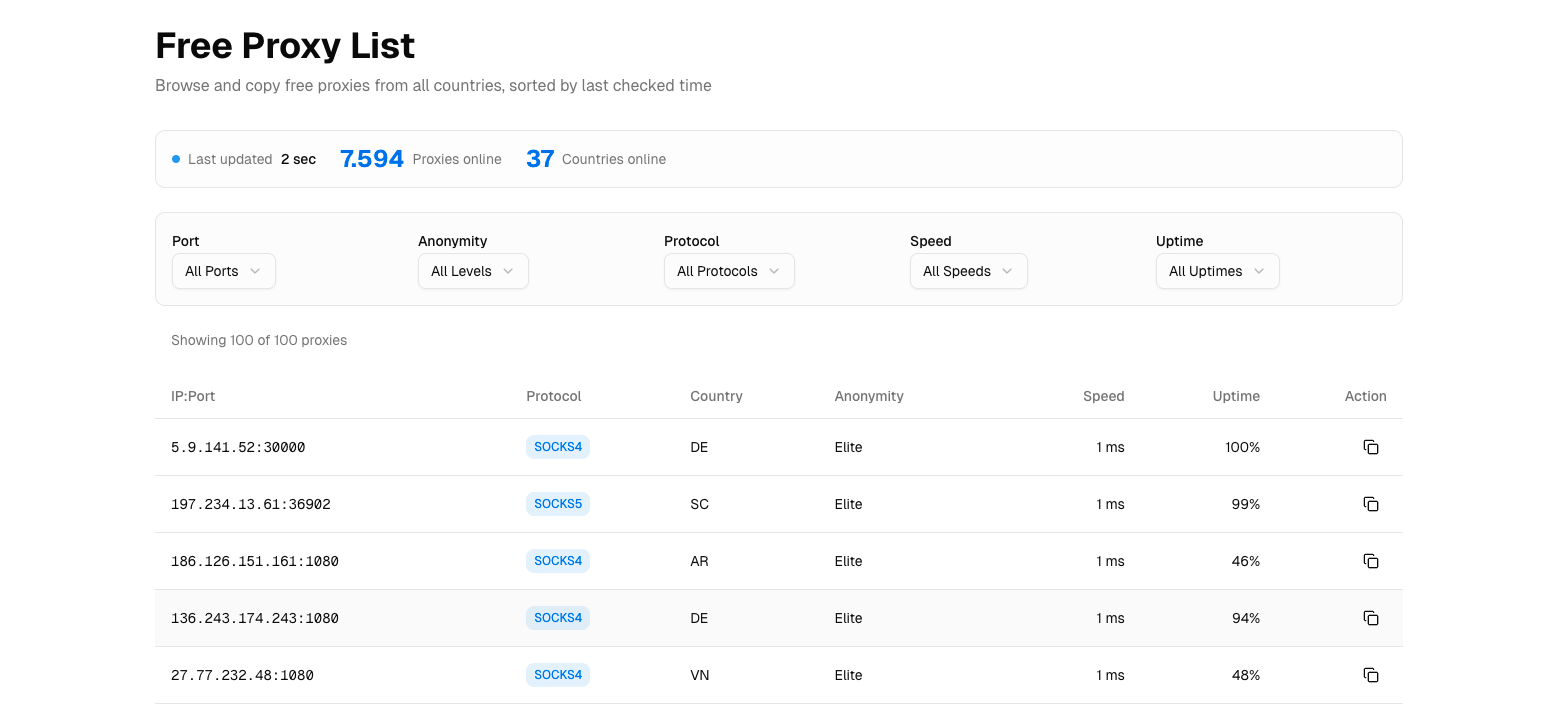
What we tested: Top 500 IPs from free proxy lists
| Target Type | Requests | Success Rate | Avg Latency | CAPTCHAs Hit |
|---|---|---|---|---|
| Heavy protection | 5,000 | 2.1% | 12.4s | 31.2% |
| Medium protection | 5,000 | 8.7% | 9.1s | 18.4% |
| Light protection | 5,000 | 28.4% | 5.8s | 8.2% |
| Overall | 15,000 | 12.3% | 8.4s | 19.3% |
Our verdict: Never use free proxies for anything beyond learning how proxies work. The IPs are already blacklisted, speeds are unusable, and many are honeypots logging your traffic.
What We Learned About Anti-Bot Systems in 2026
During testing, we identified how different sites detect and block scrapers:
Amazon's Detection Stack
Amazon uses multiple layers:
- TLS fingerprinting: Detects automation tools by SSL handshake patterns. Using
httpxorrequestswithout modification gets flagged immediately. - Behavioral analysis: Monitors click patterns, scroll behavior, time-on-page. Direct URL requests without "browsing" behavior trigger soft blocks.
- IP reputation scoring: Maintains real-time scores for IPs. New residential IPs start with high trust; datacenter IPs start with low trust.
What worked: Bright Data's Web Unlocker and Oxylabs' Scraper API, which handle browser fingerprinting automatically.
What didn't work: Raw residential proxies with Python requests — even premium IPs got flagged within 50-100 requests.
Cloudflare's Evolution
Cloudflare protection in 2026 is significantly harder than 2024:
- JS challenges now require full browser execution (not just solving the challenge token)
- Turnstile CAPTCHAs appear after 3-5 requests from suspicious IPs
- Bot score API means sites can set custom thresholds
Our bypass rates by provider:
| Provider | Cloudflare Bypass Rate |
|---|---|
| Bright Data (Web Unlocker) | 89% |
| Oxylabs (Scraper API) | 86% |
| SOAX (residential) | 71% |
| Others | <60% |
Real Cost Analysis: Price vs. Effective Cost
The advertised $/GB is misleading. What matters is cost per successful request.
Formula
Effective Cost = (Price per GB × GB per 1000 requests) / Success Rate
Calculated Effective Costs
| Provider | Advertised $/GB | Avg Response Size | GB per 1K Requests | Success Rate | Effective $/1K |
|---|---|---|---|---|---|
| Bright Data | $8.40 | 487 KB | 0.48 GB | 94.2% | $4.26 |
| Oxylabs | $10.00 | 463 KB | 0.46 GB | 93.8% | $4.91 |
| SOAX | $3.60 | 471 KB | 0.47 GB | 91.4% | $1.85 |
| Roundproxies | $3.00 | 476 KB | 0.48 GB | 90.1% | $1.59 |
| Smartproxy | $2.80 | 482 KB | 0.48 GB | 88.3% | $1.52 |
| IPRoyal | $1.75 | 491 KB | 0.49 GB | 84.6% | $1.01 |
| Webshare | $1.40 | 502 KB | 0.50 GB | 76.2% | $0.92 |
Key insight: SOAX, Roundproxies, and Smartproxy offer the best effective value when you factor in success rates. Bright Data's high per-GB cost is partially offset by higher success rates, but for medium-protection targets, mid-tier providers deliver better ROI.
Recommendations by Use Case
E-commerce Scraping (Amazon, Walmart, eBay)
Recommended: Bright Data Web Unlocker or Oxylabs Scraper API
These sites have the most aggressive anti-bot systems. You need:
- Browser fingerprint emulation
- Automatic CAPTCHA handling
- High-trust residential IPs
Budget alternative: Accept 75-80% success rate and use SOAX with retry logic.
SERP Scraping (Google, Bing)
Recommended: Oxylabs (they have a dedicated SERP API)
Google's detection is sophisticated but beatable with:
- Residential IPs with proper geo-targeting
- Realistic request timing (2-5 second delays)
- Rotating user agents
Our test results on Google:
| Provider | Google Success Rate |
|---|---|
| Oxylabs | 91.2% |
| Bright Data | 89.7% |
| SOAX | 82.4% |
| Others | <75% |
Real Estate Sites (Zillow, Realtor, Redfin)
Recommended: SOAX, Roundproxies, or Smartproxy
These sites use Cloudflare/DataDome but aren't as aggressive as Amazon. Mid-tier providers work fine with:
- Residential IPs (datacenter gets blocked instantly)
- Session consistency for pagination
- Reasonable request rates
Job Boards (Indeed, LinkedIn, Glassdoor)
Recommended: Bright Data for LinkedIn; Smartproxy for Indeed/Glassdoor
LinkedIn is nearly as protected as Amazon. Indeed and Glassdoor are more forgiving.
Warning: LinkedIn actively litigates against scrapers. Ensure you're compliant with their ToS and relevant laws.
General Web Scraping (News, Blogs, Public Data)
Recommended: Roundproxies, IPRoyal, or Smartproxy
For sites without significant protection, affordable residential proxies work fine. Save your premium budget for targets that need it.
How to Test Providers Yourself
Don't trust our data blindly. Here's how to run your own tests:
1. Start with Free Trials
| Provider | Trial Offer |
|---|---|
| Bright Data | $5 credit |
| Oxylabs | 7-day free trial |
| SOAX | $1.99 for 3 days |
| Roundproxies | 50% off first order |
| Smartproxy | 3-day money-back |
| IPRoyal | None (but cheap minimum) |
2. Test Against YOUR Targets
Our results are averages. Your specific targets may behave differently. Run at least 1,000 requests against each site you plan to scrape.
3. Measure What Matters
# Minimum metrics to track
metrics = {
    "success_rate": successful_requests / total_requests,
    "avg_latency": sum(latencies) / len(latencies),
    "cost_per_success": total_cost / successful_requests,
    "captcha_rate": captcha_hits / total_requests,
    "block_rate": blocks / total_requests
}
4. Test Over Time
A provider might perform well on day 1 and degrade by day 7. Run tests for at least a week before committing to a large plan.
Common Mistakes We See
Based on support tickets and community discussions, here are the most common proxy mistakes:
1. Using Datacenter Proxies on Protected Sites
Problem: Datacenter IP ranges are publicly known. Sites block them preemptively.
Solution: Use residential or ISP proxies for any site with anti-bot protection.
2. Not Rotating User Agents
Problem: Same User-Agent string across thousands of requests is an obvious bot signal.
Solution: Rotate through 50+ real browser User-Agent strings.
import random

USER_AGENTS = [
    "Mozilla/5.0 (Windows NT 10.0; Win64; x64) AppleWebKit/537.36...",
    "Mozilla/5.0 (Macintosh; Intel Mac OS X 10_15_7) AppleWebKit/537.36...",
    # ... 48 more
]

headers = {"User-Agent": random.choice(USER_AGENTS)}
3. Requesting Too Fast
Problem: 100 requests/second from rotating IPs still looks like a bot.
Solution: Add random delays between requests (2-10 seconds for protected sites).
import asyncio
import random

async def scrape_with_delay(url):
    await asyncio.sleep(random.uniform(2, 5))
    return await fetch(url)
4. Ignoring Geographic Consistency
Problem: User "browses" from Germany, then California, then Brazil in 10 seconds.
Solution: Use sticky sessions or consistent geo-targeting per "user session."
5. Not Handling Failures Gracefully
Problem: A 403 response triggers immediate retry, burning bandwidth.
Solution: Implement exponential backoff with jitter.
async def fetch_with_backoff(url, max_retries=3):
    for attempt in range(max_retries):
        response = await fetch(url)
        if response.status_code == 200:
            return response

        # Exponential backoff: 2s, 4s, 8s + random jitter
        delay = (2 ** attempt) + random.uniform(0, 1)
        await asyncio.sleep(delay)

    return None
Conclusion
After 450,000+ requests and $900+ in proxy costs, here's what we learned:
- Premium providers justify their cost on heavily protected sites. Bright Data and Oxylabs' success rates on Amazon/Google make them worth the price.
- Mid-tier providers are underrated for medium-protection sites. SOAX, Roundproxies, and Smartproxy offer excellent value for 80% of scraping use cases.
- Cheap providers have hidden costs. Low success rates mean you burn bandwidth on failures, often making them more expensive per successful request.
- Free proxies are worthless for anything beyond learning.
- Test before you commit. Our results are averages — your targets may behave differently.
The "best" proxy depends entirely on what you're scraping. Match your provider to your target's protection level, and you'll save money while getting better results.
Our recommendation by budget:
| Budget | Best Choice | Why |
|---|---|---|
| Enterprise ($500+/mo) | Bright Data or Oxylabs | Highest success rates, best support |
| Mid-range ($50-200/mo) | Roundproxies or SOAX | Best value for performance |
| Budget (<$50/mo) | Smartproxy or IPRoyal | Adequate for light-medium targets |
Methodology Appendix
Test Configuration
test_period: 2026-01-02 to 2026-01-16
total_requests: 465,000
providers_tested: 9
targets_tested: 12
server: AWS EC2 c5.xlarge (us-east-1)
framework: Python 3.12 + httpx 0.27
proxy_rotation: per-request
timeout: 30 seconds
retries: 0 (raw measurement)
Success Criteria
A request was marked "successful" if:
- HTTP status code was 200
- Response body contained expected content markers
- No CAPTCHA or block page was returned
- Response was received within 30 seconds
Data Collection
All request/response data was logged to PostgreSQL and is available for independent verification upon request.
Potential Biases
- Geographic: All tests ran from US-East. Results may differ for APAC or EU-based scraping.
- Temporal: 14-day window may not capture monthly/seasonal variations.
- Target selection: Our 12 sites may not represent your specific use case.esearch@roundproxies.com



![Web Scraping with Gologin tutorial [2026]](https://cdn.roundproxies.com/blog-images/2026/01/gologin-1.png)