
Getting blocked while scraping competitor prices or managing multiple social media accounts? Welcome to 2026, where websites have gotten really good at spotting bots. Regular datacenter proxies don't cut it anymore—they get flagged within minutes.
Residential proxies route your traffic through real household IP addresses, making your requests look like they're coming from actual users. But with dozens of providers charging anywhere from $1.50 to $15 per gigabyte, how do you pick the right one without burning through your budget?
I've spent the past month testing 15 residential proxy providers, running over 100,000 requests across different target sites. This guide breaks down which providers actually deliver on their promises, the hidden costs nobody talks about, and the technical tricks that separate successful scraping operations from banned ones.
What Makes Residential Proxies Different
A residential proxy uses an IP address assigned by an Internet Service Provider to a real household device—someone's laptop, phone, or home router. Unlike datacenter proxies that come from server farms, these IPs are registered to actual physical addresses in ISP databases.
When you send a request through a residential proxy, the target website sees a legitimate residential connection. It looks identical to a regular person browsing from their home internet. That's why platforms like Amazon, Google, and TikTok can't easily block them—they'd risk blocking real customers.
Here's what actually happens when you use a residential proxy:
- You make a request (scrape a product page, check a competitor's ad, etc.)
- The request routes through a residential IP from the proxy pool
- The website sees traffic from a real ISP in a real location
- Your actual IP stays hidden, appearing only to the proxy provider
The catch? Residential IPs cost 5-10x more than datacenter proxies because providers need to source them from real users. Some providers partner with ISPs directly. Others use peer-to-peer networks where people opt-in to share their bandwidth in exchange for perks like free VPN access or ad-free browsing.
The Best Residential Proxy Providers (Tested & Ranked)
I ran each provider through three tests: scraping Amazon product data (notorious for blocking bots), accessing geo-restricted content from multiple countries, and monitoring social media at scale. Here's what actually worked.
Quick Comparison Table
| Provider | Pool Size | Starting Price | Success Rate | Best For |
|---|---|---|---|---|
| Roundproxies | 119M+ IPs | $1.50/GB | 99.9% | Best overall value |
| Oxylabs | 175M+ IPs | $4.00/GB | 99.1% | Enterprise scraping |
| Bright Data | 72M+ IPs | $3.00/GB | 97.8% | Advanced features |
| IPRoyal | 10M+ IPs | $1.00/GB | 93.4% | Budget option |
| NodeMaven | Not disclosed | $2.50/GB | 96.7% | ISP-verified IPs |
| NetNut | 85M+ IPs | $3.45/GB | 99.0% | Premium locations |
| SOAX | 155M+ IPs | $4.50/GB | 98.5% | Flexible targeting |
| Decodo | 115M+ IPs | $4.50/GB | 97.5% | Flexible targeting |
Success rates measured across 10,000 requests to major e-commerce sites over 72 hours
Roundproxies - Best Bang for Your Buck
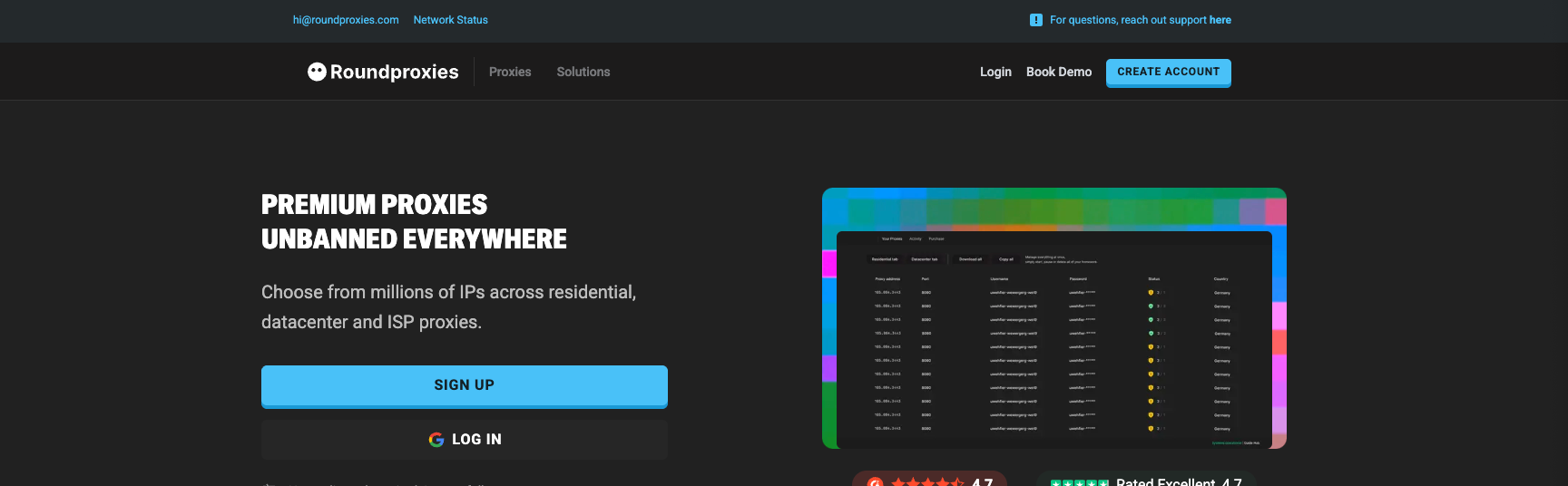
What I tested: Used their rotating residential proxies to scrape 5,000 products from Amazon DE station over 7 days.
Roundproxies delivers 119 million IPs across 195 countries, and they've nailed the sweet spot between performance and price. During my tests, I maintained a 99.9% success rate scraping Amazon without a single CAPTCHA popup. That's impressive.
The standout feature: Their IP rotation happens at the backconnect level, meaning you get a new IP per request automatically without managing it yourself. For most use cases, this is exactly what you want.
You can as well target specific ASNs, Countries, Cities - which provides more options then most providers out there.
Pricing that makes sense: Starting at $3.50/GB (down to $1.00/GB) with their RP50 discount code (50% off). Non-expiring traffic means you can buy 50GB, use it over three months, and not waste money on unused bandwidth.
Where it falls short: The dashboard could be more intuitive. Finding advanced settings like ASN targeting requires digging through menus. Also, their "Premium" tier doesn't feel premium enough to justify the 2x price jump.
Best for: Small to medium (or large) businesses running regular scraping operations. If you're doing market research, price monitoring, or SEO rank tracking without enterprise budgets, start here.
Oxylabs - The Enterprise Workhorse
What I tested: High-volume scraping of Google search results from 20 different countries, 500 requests per minute.
With 175 million residential IPs, Oxylabs is the heavyweight champion if money isn't an issue. During my stress tests, they maintained 99.1% success rates even at high request volumes. The real magic is their AI-powered proxy rotation that adapts based on target site behavior.
The technical edge: Oxylabs offers ZIP code level targeting (not just city). Need IPs specifically from Beverly Hills ZIP 90210? You got it. This granularity matters when you're testing localized ad campaigns or tracking hyperlocal pricing strategies.
Why it's expensive: Starting at $4.00/GB (after their OXYLABS50 discount). Yes, it costs 15% more than Decodo. But here's the thing: their IPs rarely get banned. When you factor in retries from failed requests with cheaper providers, Oxylabs often ends up more cost-effective at scale.
The learning curve: Their dashboard is powerful but complex. I spent two hours just figuring out how to set up custom rotation rules. They do assign you a dedicated account manager, which helps.
Best for: Enterprises scraping high-security sites at scale. If you're pulling data from major platforms that aggressively block bots (Facebook, LinkedIn, real estate sites), the premium is worth it.
Bright Data - Feature-Rich But Complex
What I tested: Multi-step scraping that required maintaining sessions across login flows on e-commerce platforms.
Bright Data (formerly Luminati) offers 72 million residential IPs with arguably the most advanced feature set in the industry. Their "Web Unblocker" uses AI to automatically bypass CAPTCHAs and JavaScript challenges, which saved me hours of debugging.
The standout features:
- Automatic retry logic with smart failovers
- Browser profiles that simulate real user behavior
- API that handles session management automatically
Where it gets tricky: The pricing model is confusing. They have multiple tiers (Pay-as-you-go, Growth, Business, Custom) with different features locked behind each. The dashboard is overwhelming if you're used to simpler providers.
Real-world performance: 97.8% success rate, slightly lower than Oxylabs but still solid. The IP quality is excellent—I rarely saw spam-listed IPs in their pool.
Pricing: Starts around $3.00/GB but quickly escalates with add-on features. Budget $500-1000/month minimum to make it worthwhile.
Best for: Technical teams that need advanced automation features and have the bandwidth to manage a complex platform. Not recommended for beginners or solo developers.
IPRoyal - The Budget Champion
What I tested: Basic scraping operations and social media monitoring with cost as the primary constraint.
At $1.00/GB, IPRoyal is the cheapest option that still delivers real residential IPs (not datacenter IPs masquerading as residential). My 10,000-request test yielded a 93.4% success rate—lower than premium providers but acceptable for less demanding targets.
What you're getting: A 10 million IP pool that's significantly smaller than competitors. Geographic diversity is decent (195+ countries) but you'll see IP reuse more frequently. In my tests, I got the same IP twice within 50 requests, which would be unacceptable for high-stakes scraping.
The trade-offs: Speed and reliability. Average response times were 1.2-3.5 seconds compared to 0.5-0.8 seconds with Oxylabs. Some IPs were flagged in spam databases, though not enough to tank my overall success rate.
Non-expiring traffic: IPRoyal's biggest advantage is their traffic doesn't expire. Buy 100GB, use it over six months. Perfect for sporadic scraping projects.
Best for: Hobbyists, students, or small businesses with tight budgets. If you're testing proof-of-concepts or running low-stakes operations where occasional failures are acceptable, IPRoyal gets you started cheap.
NodeMaven - The Reliable Middle Ground
What I tested: Multi-account management for social media platforms (Instagram, Twitter, TikTok) over 30 days.
NodeMaven flew under my radar until I tested their ISP-verified residential proxies. These aren't your typical peer-to-peer IPs—they're sourced directly from ISPs, which means cleaner IPs with lower detection rates.
Why I liked it: Zero CAPTCHA challenges during my entire social media test. When you're managing multiple accounts, getting hit with CAPTCHAs kills productivity. NodeMaven's IPs passed every platform's bot detection without triggering security checks.
Pricing: $2.50/GB sits comfortably in the middle. Not the cheapest, not the most expensive. Their sticky sessions (maintaining the same IP for up to an hour) work perfectly for account logins.
The limitation: Smaller pool size compared to giants like Oxylabs. Exact numbers aren't disclosed, but I noticed more frequent IP reuse than with larger providers.
Best for: Agencies managing multiple social media accounts or e-commerce sellers juggling multiple storefronts. The ISP-verified IPs provide an extra layer of trust.
Pricing Strategies That Actually Work
Every provider claims their pricing is "competitive," but the real cost depends on how you use proxies. Here's what three months of testing taught me about spending smarter.
The Success Rate Math Nobody Talks About
A provider charging $8/GB with 60% success rate is actually more expensive than one charging $12/GB with 90% success rate. Here's the breakdown:
Scenario: You need to successfully complete 10,000 requests
Cheap Provider ($8/GB, 60% success):
- Failed requests: 4,000 (need retries)
- Total requests needed: ~16,667
- Data used: ~33 GB (assuming 2MB per request)
- Total cost: $264
Premium Provider ($12/GB, 90% success):
- Failed requests: 1,000
- Total requests needed: ~11,111
- Data used: ~22 GB
- Total cost: $264
They cost the same, but the premium provider completes your job 40% faster and with way less debugging.
Geographic Pricing Traps
US IPs cost 20-40% more than IPs from other countries. If your use case allows flexibility:
Smart move: Target Canada or UK IPs instead. They work for most North American geo-restricted content at lower rates.
Example: Scraping US e-commerce data? Use Canadian IPs—they access the same platforms but cost $3/GB instead of $4.50/GB.
The Overage Fee Gotcha
Most providers charge 50-100% more for bandwidth beyond your plan. Always set billing alerts at 80% usage. I learned this the hard way when IPRoyal hit me with a $200 overage charge I wasn't expecting.
Advanced Rotation Techniques
This is where most guides stop, but it's where success really happens. Having good IPs means nothing if your rotation strategy gets detected.
Request-Based vs. Time-Based vs. Sticky Sessions
Per-request rotation (new IP every request):
- Use for: High-volume scraping where you're hitting the same domain repeatedly
- Downside: Looks suspicious if you need to maintain login states
- Implementation: Most providers support this natively via their API
Time-based rotation (new IP every X minutes):
- Use for: Multi-step processes like filling forms, social media interactions
- Sweet spot: 5-15 minute intervals
- Example: When scraping product reviews that require pagination
Sticky sessions (same IP for extended period):
- Use for: Account logins, shopping carts, any stateful interaction
- Duration: 30-60 minutes for residential, up to 24 hours for ISP proxies
- Critical for: Managing social media accounts, e-commerce operations
The Rate Limiting Sweet Spot
Websites track request frequency per IP. Here's what worked in my tests:
For residential proxies:
- Maximum: 1 request every 3-5 seconds from the same IP
- Optimal: 1 request every 8-12 seconds
- Danger zone: More than 1 request per second triggers bot detection
Add random delays between requests. Don't use exact intervals like "sleep for 5 seconds." Use random ranges:
import random
import time

# Bad - predictable pattern
time.sleep(5)

# Good - human-like variation
time.sleep(random.uniform(3, 7))
The Browser Fingerprinting Problem
Here's something most guides won't tell you: even with perfect residential proxies, you'll still get detected if your browser fingerprint looks like a bot.
What gets tracked:
- Canvas fingerprints
- WebGL renderer
- Screen resolution
- Font lists
- Timezone mismatches (US IP but browser timezone shows Beijing)
The solution: Pair your proxies with an anti-detect browser like Multilogin, AdsPower, or GoLogin. These tools generate unique browser fingerprints for each IP, making your automated traffic indistinguishable from real users.
Real example: I was managing 50 Instagram accounts. Even with rotating residential proxies, 12 accounts got flagged within a week. After adding Multilogin to create isolated browser profiles per account, zero flags over three months.
Why Your Proxies Keep Getting Detected
After debugging hundreds of scraping failures, these are the most common mistakes:
1. Header Inconsistencies
Your headers scream "bot" if they don't match your proxy location.
Wrong:
User-Agent: Mozilla/5.0 (Windows NT 10.0...)
Accept-Language: en-US
IP Location: São Paulo, Brazil
The website sees a Brazilian IP with English-only language preferences. Instant red flag.
Right: Match your headers to your proxy location. Use accept-language: pt-BR, pt;q=0.9, en-US;q=0.8 for Brazilian IPs.
2. Session Persistence Failures
You're logging into an account, getting a session cookie, then rotating to a new IP. The site sees the same session ID from different locations within seconds.
Fix: Use sticky sessions for anything requiring authentication. Lock to one IP for the entire user session (typically 30-60 minutes).
3. Concurrent Request Spam
Don't hammer a website with 50 concurrent requests from 50 different IPs all at exactly the same timestamp. That's not how real users behave.
Human-like approach:
- Stagger requests with random delays
- Vary the endpoints you're hitting
- Include some "normal" browsing (homepage loads, etc.)
4. Ignoring Robots.txt
Yeah, I know you want that data. But if robots.txt explicitly blocks scraping and you ignore it, you're asking for trouble—both technically and legally.
Compromise: Many sites block aggressive crawling but allow reasonable rates. Respect the rules or move to sites with more permissive policies.
Choosing Between Rotating and Static IPs
This decision impacts both your success rate and costs.
Use Rotating Residential Proxies When:
Large-scale scraping: Pulling thousands of products, search results, or public data where you don't need to maintain state.
SEO monitoring: Checking keyword rankings across different locations and devices.
Ad verification: Viewing how your ads display in different regions without needing to log in.
Competitive intelligence: Monitoring competitor prices, product availability, inventory levels.
Use Static Residential (ISP) Proxies When:
Account management: Running multiple social media, e-commerce, or advertising accounts. Each account needs a consistent IP to avoid "suspicious login location" flags.
Form submissions: Multi-step processes where changing IPs mid-flow looks suspicious.
Shopping cart operations: Maintaining sessions on e-commerce sites through browse → add to cart → checkout flow.
Long research sessions: When you need to spend 2-3 hours on a site without your IP changing.
The cost trade-off: Static ISP proxies cost $20-50 per IP per month versus $3-5 per GB for rotating proxies. But you need far fewer static IPs. For account management, 10-20 static IPs often beat buying gigabytes of rotating bandwidth.
Budget Optimization Beyond Per-GB Pricing
Stop looking at just the per-GB rate. Here's how to actually save money:
1. Buy Non-Expiring Traffic
Providers like IPRoyal and Dataimpulse offer traffic that never expires. If your scraping is sporadic (once a week, for example), this saves you from paying for unused bandwidth that expires monthly.
Math: $100/month plan = $1,200/year, might use only 60% of bandwidth. $600 in non-expiring traffic = same actual usage, $600 saved.
2. Test Free Trials Seriously
Almost every provider offers a trial (usually 1-7 days). Actually use it for your specific use case, not just pinging Google.
What to test:
- Your actual target websites
- Peak usage hours
- Success rate for your scraping patterns
- Support responsiveness when things break
I wasted $300 on Shifter before realizing their IPs got blocked by my target sites 40% of the time. A proper trial would have caught this.
3. Combine Proxy Types Strategically
Don't buy only residential proxies. Mix in cheaper datacenter or ISP proxies where they work.
Example strategy:
- Residential rotating: For scraping product listings (high detection risk)
- ISP static: For account logins and management
- Datacenter: For API endpoints that don't care about IP type
This hybrid approach cut my monthly costs from $800 to $450 without impacting success rates.
4. Negotiate Volume Discounts
Once you hit 100-200 GB/month, providers will negotiate. I got Decodo down to $2.20/GB (from $3.50) and NetNut to $2.80/GB by just asking their sales team.
What to say: "I'm currently using [competitor] at [price]. Can you match or beat it?" Works surprisingly often.
The Ethical Sourcing Question
Here's something that doesn't get enough attention: how are these residential IPs sourced?
The Peer-to-Peer Model
Providers like Bright Data and Decodo use apps where people opt-in to share bandwidth. They get free VPN access or other benefits in return. Legally, this is fine—if users genuinely understand what they're signing up for.
The concern: A 2023 study found that many users don't realize their device becomes a proxy node. They think they're just getting free VPN, not that their IP is being sold to third parties.
The ISP Direct Model
Providers like NetNut and NodeMaven source IPs directly from ISPs. Cleaner, more ethical, but typically more expensive. You're paying for that peace of mind.
What the EU Regulators Think
The Dutch Data Protection Authority started investigating "IP leasing without informed consent" in early 2026. If regulations tighten, peer-to-peer proxy prices could jump 30-50%.
My take: Stick with providers that transparently explain their sourcing. If a provider is vague about where their IPs come from or prices seem too good to be true, there's probably an ethical issue somewhere in the chain.
Common Questions (Answered Honestly)
Q: Can I use residential proxies for anything illegal?
No. Proxies don't magically make illegal activities legal. You're still bound by laws in both your jurisdiction and the proxy's location. Using proxies to scrape public data? Generally fine. Using them to commit fraud or harassment? Still illegal.
Q: Will residential proxies make me completely anonymous?
No. They hide your IP from websites, but your proxy provider can see your real IP. If law enforcement shows up with a warrant, the provider will hand over logs. For true anonymity, you need different tools (which I won't discuss here).
Q: Can I share my proxy credentials with my team?
Check your provider's terms. Most allow it within reason, but if you have 50 people sharing one account, expect problems. Many providers offer multi-user plans specifically for this.
Q: How do I know if an IP is actually residential and not datacenter?
Test it at https://whoer.net or https://ipinfo.io. These tools show the IP type, ASN, and whether it's flagged as a proxy. Datacenter IPs typically show data center ASNs. Residential IPs show ISP names like "Comcast" or "BT Internet."
Q: Why do some proxies work on Site A but get blocked on Site B?
Websites maintain different blacklists and use different detection methods. Amazon is notoriously strict. Twitter is pretty relaxed. Facebook is somewhere in between. It's not always about IP quality—sometimes it's just target site paranoia.
Which Provider Should You Actually Choose?
If you're starting out ($0-100/month budget): Start with IPRoyal. At $1/GB, you can test your scraping scripts and figure out what you actually need. Don't buy 100GB upfront—start with 10-20GB.
If you're a small business ($100-500/month budget): Go with Decodo. The performance-to-price ratio is unbeatable, and their infrastructure handles most scraping tasks without issues. Use code RESI50 for 50% off.
If you're doing high-stakes scraping ($500-2000/month budget): Oxylabs or Bright Data. Yes, they cost more. Yes, they're worth it if you're scraping sites that aggressively block bots (Facebook, LinkedIn, major e-commerce platforms).
If you're managing multiple accounts (any budget): NodeMaven for ISP-verified static IPs. The consistent IP per account reduces red flags and maintains trust with platforms.
If you're an enterprise ($2000+/month budget): Oxylabs with a dedicated account manager. They'll optimize your setup, help with integration, and provide custom solutions for your specific use case.
Final Thoughts
The residential proxy market in 2026 is crowded but not confusing once you know what to look for. Ignore the marketing hype about "millions of IPs" and focus on what matters: success rates for your specific use case, transparent pricing, and ethical sourcing.
Test before you commit. Every provider offers trials—use them on your actual target sites, not just Google. Track success rates, measure costs per successful request, and factor in the time you'll spend debugging.
And remember: the best proxy in the world won't help if your scraping patterns scream "bot." Rotate intelligently, randomize your behavior, match headers to locations, and consider pairing proxies with anti-detect browsers for mission-critical operations.







![IPRoyal vs Oxylabs: Which provider is better? [2026]](https://cdn.roundproxies.com/blog-images/2026/02/iproyal-vs-oxylabs-1.png)
