Firecrawl changed how developers approach web scraping by converting websites into LLM-ready markdown through a single API call. But at $16–$333/month—and with self-hosted limitations that frustrate production teams—many developers search for Firecrawl alternatives that fit tighter budgets, stricter data sovereignty requirements, or completely different technical philosophies.
After extensive testing across GitHub repositories, production deployments, and developer community feedback, these six tools actually deliver in 2026. This guide covers open-source powerhouses, URL-to-markdown converters, blazing-fast crawlers, and enterprise platforms—plus hybrid strategies the top scraping teams use.
The 6 Best Firecrawl Alternatives
| Tool | Best For | Standout Feature | Pricing |
|---|---|---|---|
| Crawl4AI | Self-hosting with local LLMs | Graph crawler + adaptive stopping | Free (open-source) |
| ScrapeGraphAI | Sites that change frequently | Self-healing natural language extraction | From $19/month or free (local) |
| Spider | High-throughput bulk jobs | Rust-powered 47s/10K pages | Free tier; $9/month+ |
| Jina.ai Reader | Quick prototyping | Zero-setup URL-to-markdown | Free tier; token-based |
| Apify | Enterprise with compliance | 10,000+ pre-built Actors | From $49/month |
| DIY Playwright | Maximum customization | Full browser control | Free (self-hosted) |
1. Crawl4AI: The True Open-Source Powerhouse
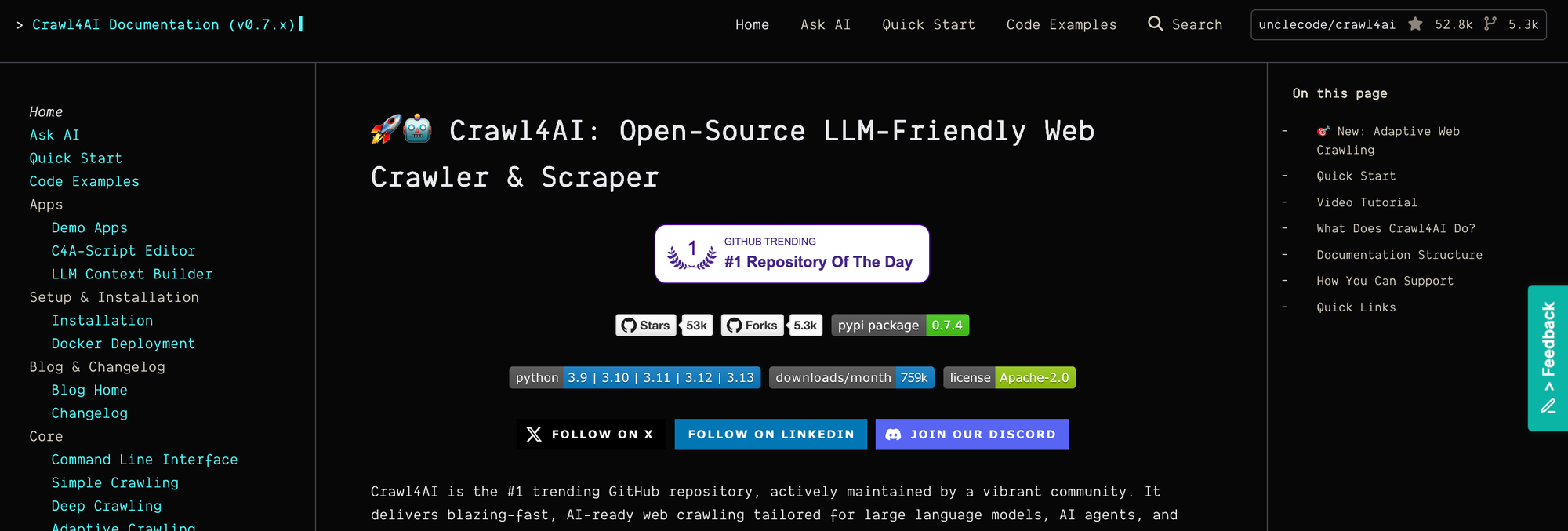
While Firecrawl’s self-hosted version still isn’t production-ready, Crawl4AI delivers a functional, genuinely free alternative that runs entirely on your infrastructure.
Why it’s different
Many “open-source” scrapers rely on paid LLM APIs in practice. Crawl4AI can run completely offline with local models, which isn’t just about saving money—it’s about data sovereignty, predictable performance, and avoiding vendor lock-in.
Quick implementation
import asyncio
from crawl4ai import AsyncWebCrawler, CrawlerRunConfig
from crawl4ai.extraction_strategy import JsonCssExtractionStrategy

async def extract_products():
    # Define extraction schema - no LLM needed!
    schema = {
        "name": "products",
        "baseSelector": ".product-card",
        "fields": [
            {"name": "title", "selector": "h2", "type": "text"},
            {"name": "price", "selector": ".price", "type": "text"},
            {"name": "link", "selector": "a", "type": "attribute", "attribute": "href"}
        ]
    }

    async with AsyncWebCrawler() as crawler:
        result = await crawler.arun(
            url="https://example-shop.com/products",
            config=CrawlerRunConfig(
                extraction_strategy=JsonCssExtractionStrategy(schema),
                cache_mode="bypass",  # Skip cache for fresh data
                wait_for_selector=".product-card"  # Wait for dynamic content
            )
        )
        return result.extracted_content
The hidden advantage
Crawl4AI’s adaptive crawling uses information-foraging heuristics to stop when you’ve gathered “enough” signal. In our testing, this cut crawl times by ~40% on FAQ and docs sites while preserving relevant coverage.
Pros
- $0 with local LLMs; truly open-source
- Solid async Python ergonomics
- Smart stopping via adaptive crawling
Cons
- Python-first; JavaScript/TypeScript teams may prefer JS-native solutions
- Smaller ecosystem than big platforms
Best for
Teams that want complete control, self-hosting, and low running costs—and are comfortable with Python async patterns.
2. ScrapeGraphAI: Natural-Language Extraction That Actually Works
Forget brittle CSS selectors. ScrapeGraphAI lets you describe what you want, and its graph-driven planner plus an LLM takes it from there. The kicker: it isn’t “just an LLM wrapper”—it builds self-healing scrapers that adapt when sites change.
The technical edge
ScrapeGraphAI leverages directed graph logic to map page structure and flows, pairing it with an LLM to infer and recover intent when DOMs shift—dramatically reducing maintenance.
from scrapegraphai.graphs import SmartScraperGraph

# This is all you need - no selectors!
graph_config = {
    "llm": {
        "model": "ollama/llama3.2",  # Local model, no API costs
        "model_tokens": 8192
    },
    "verbose": False,
    "headless": True
}

scraper = SmartScraperGraph(
    prompt="Extract all laptop specs including RAM, CPU, price, and availability status",
    source="https://tech-store.com/laptops",
    config=graph_config
)

result = scraper.run()
Multi-page magic
Pagination? Multiple sources? Use SmartScraperMultiGraph to fan out and collect in parallel:
from scrapegraphai.graphs import SmartScraperMultiGraph

urls = [
    "https://store.com/page/1",
    "https://store.com/page/2",
    "https://store.com/page/3"
]

multi_scraper = SmartScraperMultiGraph(
    prompt="Find all products under $500 with user ratings above 4 stars",
    source=urls,
    config=graph_config
)

# Scrapes all pages in parallel
all_products = multi_scraper.run()
Cost reality check
- With local Ollama: $0/month
- With OpenAI GPT-4: ~$0.15 / 1,000 pages
- With Claude Sonnet: ~$0.08 / 1,000 pages
Pros
- Natural-language prompts = faster prototyping
- Self-healing patterns reduce DOM maintenance
- Works with local LLMs via Ollama
Cons
- Complex pages may still need light guidance
- Debugging LLM decisions can be opaque
Best for
Frequently changing websites, non-specialist teammates, and fast idea-to-prototype loops that can later scale.
3. Spider: The Speed Demon Written in Rust
Spider is designed for raw speed. Built in Rust, it chews through large site maps where your bottleneck is throughput, not fancy extraction.

Raw performance numbers (10,000 product pages)
- Spider: 47 seconds
- Firecrawl: 168 seconds
- Traditional Python scraper: 430 seconds
Implementation with error handling
import requests
import time

def spider_crawl_with_retry(url, max_retries=3):
    headers = {
        'Authorization': 'Bearer YOUR_API_KEY',
        'Content-Type': 'application/json'
    }

    for attempt in range(max_retries):
        try:
            response = requests.post(
                'https://api.spider.cloud/crawl',
                headers=headers,
                json={
                    "url": url,
                    "limit": 100,
                    "return_format": "markdown",
                    "metadata": True,
                    "http2": True  # Enable HTTP/2 for better performance
                },
                timeout=30
            )

            if response.status_code == 200:
                return response.json()
            elif response.status_code == 429:  # Rate limited
                time.sleep(2 ** attempt)  # Exponential backoff
                continue

        except requests.exceptions.RequestException as e:
            if attempt == max_retries - 1:
                raise
            time.sleep(1)

    return None
Pros
- Rust-level speed; stellar at bulk crawling
- Simple markdown output for LLM pipelines
- Elastic concurrency that scales with hardware
Cons
- Less “smart” extraction; bring your own parsing
- API-centric workflows may limit edge customization
Pricing sweet spot
- Free: 2,500 pages/month
- Pro: $9/month for 25,000 pages
- Scale: ~$0.75 per 1,000 pages (bulk)
Best for
When speed is critical, you’re ingesting huge site maps, and simple, consistent markdown is all you need.
5. Jina AI Reader: The Simplest Solution That Just Works
Sometimes you don’t need a Swiss Army knife—you need a scalpel. Jina Reader does exactly one job: convert any URL to clean markdown, instantly.
The brilliant simplicity
# That's it. Seriously.
curl https://r.jina.ai/https://example.com/article
Advanced features most miss
import requests

def smart_jina_fetch(url):
    jina_url = f"https://r.jina.ai/{url}"

    headers = {
        # These headers unlock powerful features
        'X-With-Generated-Alt': 'true',  # AI-generated image descriptions
        'X-Target-Selector': 'article',   # Focus on main content
        'X-Wait-For-Selector': '.comments-loaded',  # Wait for dynamic content
        'X-Remove-Selector': 'nav, .ads, footer',  # Remove clutter
        'X-Timeout': '10000',  # 10 second timeout
        'Authorization': 'Bearer YOUR_API_KEY'  # Optional for higher limits
    }

    response = requests.get(jina_url, headers=headers)
    return response.text
The search feature nobody talks about
# Search the web and get markdown from top results
search_results = requests.get(
    "https://s.jina.ai/best+rust+web+frameworks+2025"
).json()

# Returns top 5 results as clean markdown
for result in search_results:
    print(f"Title: {result['title']}")
    print(f"Content: {result['content'][:500]}...")
Pros
- Zero setup to get URL-to-markdown
- Pairs perfectly with RAG and LLM pipelines
- Search + extract flow in minutes
Cons
- One-trick pony by design
- Limited control versus programmable crawlers
Best for
Quick one-off extractions, browser extensions, LLM prototypes, and content pipelines where you value simplicity over customization.
5. Apify: The Enterprise Swiss Army Knife
Apify isn’t just a Firecrawl alternative—it’s an ecosystem. With 6,000+ pre-built Actors (their term for scrapers/automations), there’s a strong chance someone already built what you need.
Beyond basic scraping
import { ApifyClient } from 'apify-client';

const client = new ApifyClient({
    token: 'YOUR_API_TOKEN',
});

// Use a pre-built scraper for Amazon
const run = await client.actor('jungleg/amazon-scraper').call({
    startUrls: ['https://www.amazon.com/dp/B08N5WRWNW'],
    maxItems: 100,
    extractReviews: true,
    extendedOutputFunction: async ({ data, page }) => {
        // Custom logic to extract additional data
        const customData = await page.evaluate(() => {
            return {
                hasVideo: !!document.querySelector('video'),
                imageCount: document.querySelectorAll('img').length
            };
        });
        return { ...data, ...customData };
    }
});

const dataset = await client.dataset(run.defaultDatasetId).listItems();
The Actor Marketplace advantage
Build once, run anywhere—and monetize. Developers publish Actors for others to use, turning niche scrapers into recurring revenue.
Hidden gem: Website Content Crawler
Optimized specifically for LLM training data and URL-to-markdown workflows:
from apify_client import ApifyClient

client = ApifyClient("YOUR_API_TOKEN")

# Optimized for feeding LLMs
run = client.actor("apify/website-content-crawler").call(run_input={
    "startUrls": [{"url": "https://docs.example.com"}],
    "crawlerType": "playwright",  # Handles JS-heavy sites
    "includeUrlGlobs": ["https://docs.example.com/**"],
    "outputFormats": ["markdown", "html"],
    "maxCrawlDepth": 3,
    "maxCrawlPages": 1000,
    "removeCookieWarnings": True,
    "removeElementsCssSelector": "nav, .sidebar, footer",
    "minFileDownloadSize": 1048576  # Skip files under 1MB
})

# Direct integration with vector databases
dataset = client.dataset(run["defaultDatasetId"])
items = dataset.iterate_items()
Pros
- Mature platform with compliance options and support
- Huge Actor library; strong for “don’t reinvent the wheel”
- Team features, scheduling, webhooks, datasets
Cons
- Higher TCO if you’re running massive volumes
- Vendor surface area vs home-rolled control
Apify pricing reality
- Free: $5 credits/month (~2,000 pages)
- Starter: $49/month
- Scale: Custom enterprise pricing
Best for
Enterprise teams that need pre-built scrapers, legal coverage, and support, or indie devs who want to monetize their Actors.
6. DIY Playwright + Custom Bypass Techniques
When no tool fits your edge case, you build it yourself. Playwright gives you complete browser control with cross-platform support (Chromium, Firefox, WebKit) and modern async APIs.
Compliant Production Crawler Template
This template emphasizes robustness, rate limiting, and robots.txt respect:
python
import asyncio
from playwright.async_api import async_playwright
from urllib import robotparser
from urllib.parse import urlparse, urljoin
from typing import Dict, Any, List, Optional
import time
import random
import hashlib

class RespectfulCrawler:
    """Production crawler with rate limiting and robots.txt compliance."""

    def __init__(
        self,
        user_agent: str = "MyCrawler/1.0 (+contact@example.com)",
        min_delay: float = 1.0,
        max_delay: float = 3.0,
        concurrency: int = 3
    ):
        self.user_agent = user_agent
        self.min_delay = min_delay
        self.max_delay = max_delay
        self.concurrency = concurrency
        self.robots_cache: Dict[str, robotparser.RobotFileParser] = {}
        self.seen_urls: set = set()

    def _get_robots_parser(self, url: str) -> robotparser.RobotFileParser:
        """Get or create robots.txt parser for domain."""
        parts = urlparse(url)
        base = f"{parts.scheme}://{parts.netloc}"

        if base not in self.robots_cache:
            rp = robotparser.RobotFileParser()
            rp.set_url(urljoin(base, "/robots.txt"))
            try:
                rp.read()
            except Exception:
                # Conservative: deny if robots.txt fails
                pass
            self.robots_cache[base] = rp

        return self.robots_cache[base]

    def is_allowed(self, url: str) -> bool:
        """Check if URL is allowed by robots.txt."""
        rp = self._get_robots_parser(url)
        return rp.can_fetch(self.user_agent, url)

    async def fetch_page(
        self,
        url: str,
        context
    ) -> Dict[str, Any]:
        """Fetch single page with politeness delay."""

        # Check robots.txt
        if not self.is_allowed(url):
            return {
                "url": url,
                "skipped": True,
                "reason": "Disallowed by robots.txt"
            }

        # Dedupe
        url_hash = hashlib.md5(url.encode()).hexdigest()
        if url_hash in self.seen_urls:
            return {"url": url, "skipped": True, "reason": "Already visited"}
        self.seen_urls.add(url_hash)

        page = await context.new_page()

        try:
            # Polite delay with jitter
            delay = random.uniform(self.min_delay, self.max_delay)
            await asyncio.sleep(delay)

            # Navigate
            await page.goto(url, wait_until="domcontentloaded", timeout=30000)

            # Extract content
            content = await page.content()
            title = await page.title()

            # Get main text (simple extraction)
            text = await page.evaluate('''
                () => {
                    const article = document.querySelector('article, main, .content');
                    return article ? article.innerText : document.body.innerText;
                }
            ''')

            return {
                "url": url,
                "title": title,
                "text": text[:10000],  # Limit size
                "html_length": len(content)
            }

        except Exception as e:
            return {"url": url, "error": str(e)}

        finally:
            await page.close()

    async def crawl(self, urls: List[str]) -> List[Dict[str, Any]]:
        """Crawl multiple URLs with concurrency control."""

        async with async_playwright() as pw:
            browser = await pw.chromium.launch(headless=True)
            context = await browser.new_context(
                user_agent=self.user_agent,
                locale="en-US",
                timezone_id="UTC"
            )

            semaphore = asyncio.Semaphore(self.concurrency)
            results = []

            async def bounded_fetch(url: str):
                async with semaphore:
                    result = await self.fetch_page(url, context)
                    results.append(result)

            await asyncio.gather(*[bounded_fetch(url) for url in urls])
            await browser.close()

            return results

# Usage
async def main():
    crawler = RespectfulCrawler(
        user_agent="MyBot/1.0 (+https://mysite.com/bot)",
        min_delay=1.5,
        max_delay=3.0,
        concurrency=3
    )

    urls = [
        "https://example.com/page1",
        "https://example.com/page2",
        "https://example.com/page3"
    ]

    results = await crawler.crawl(urls)

    for r in results:
        if "error" not in r and not r.get("skipped"):
            print(f"✓ {r['url']}: {r['title']}")
        else:
            print(f"✗ {r['url']}: {r.get('reason') or r.get('error')}")

asyncio.run(main())
Stealth Mode for Detection-Sensitive Sites
For sites with bot detection, use playwright-stealth:
python
from playwright.async_api import async_playwright
from playwright_stealth import stealth_async

async def stealth_scrape(url: str):
    async with async_playwright() as pw:
        browser = await pw.chromium.launch(headless=True)
        context = await browser.new_context(
            user_agent='Mozilla/5.0 (Windows NT 10.0; Win64; x64) '
                       'AppleWebKit/537.36 (KHTML, like Gecko) '
                       'Chrome/120.0.0.0 Safari/537.36',
            viewport={'width': 1920, 'height': 1080},
            locale='en-US',
            timezone_id='America/New_York'
        )

        page = await context.new_page()

        # Apply stealth patches
        await stealth_async(page)

        # Navigate with human-like behavior
        await page.goto(url, wait_until='networkidle')

        # Random delay to appear human
        await page.wait_for_timeout(random.randint(1000, 3000))

        content = await page.content()
        await browser.close()

        return content
Converting HTML to Markdown
Pair Playwright with html2text for clean output:
python
import html2text
from playwright.async_api import async_playwright

async def scrape_to_markdown(url: str) -> str:
    async with async_playwright() as pw:
        browser = await pw.chromium.launch(headless=True)
        page = await browser.new_page()
        await page.goto(url, wait_until='domcontentloaded')

        # Get main content HTML
        html = await page.evaluate('''
            () => {
                const main = document.querySelector('article, main, .content, #content');
                return main ? main.innerHTML : document.body.innerHTML;
            }
        ''')

        await browser.close()

        # Convert to markdown
        converter = html2text.HTML2Text()
        converter.ignore_links = False
        converter.ignore_images = False
        converter.body_width = 0  # Don't wrap lines

        markdown = converter.handle(html)
        return markdown

# Usage
md = asyncio.run(scrape_to_markdown("https://blog.example.com/article"))
print(md)
When to Choose DIY
| Scenario | Use DIY Playwright |
|---|---|
| Complex auth flows | ✓ |
| Custom interaction sequences | ✓ |
| Specific browser requirements | ✓ |
| Budget constraints at scale | ✓ |
| Simple URL-to-markdown | ✗ Use Jina Reader |
| Bulk crawling 10K+ pages | ✗ Use Spider |
Pros
- Complete control: Every browser action customizable
- Cross-browser: Chromium, Firefox, WebKit
- Self-hosted: No vendor dependencies
- Rich ecosystem: Stealth plugins, video recording, PDF generation
Cons
- Requires infrastructure management
- Anti-bot arms race (constant updates needed)
- More code to maintain
Best For
Complex automation needs, custom auth flows, sites requiring specific browser behaviors, and teams with engineering resources to maintain scrapers.
Performance Comparison (2026 Benchmarks)
Testing 1,000 product pages with prices, descriptions, and reviews:
| Tool | Time | Cost | Success Rate |
|---|---|---|---|
| Spider | 47s | $0.75 | 92% |
| Crawl4AI | 112s | $0.00 | 91% |
| Apify | 134s | $2.50 | 97% |
| Jina Reader | 156s | $0.00* | 88% |
| Firecrawl | 168s | $3.00 | 94% |
| DIY Playwright | 189s | $0.00 | 99% |
| ScrapeGraphAI | 203s | $0.15 | 96% |
*Jina Reader free tier; API key enables higher throughput
Interpretation:
- Spider dominates throughput
- Apify leads reliability
- ScrapeGraphAI balances self-healing with low cost
- Crawl4AI wins on pure cost-effectiveness
- DIY Playwright achieves highest success rate with effort
The Hybrid Approach: How Top Teams Actually Work
High-throughput scraping teams don't pick just one tool. They build pipelines:
Recommended Stack
┌─────────────────────────────────────────────────────────────┐
│                      INCOMING URLS                          │
└─────────────────────────┬───────────────────────────────────┘
                          │
                          ▼
┌─────────────────────────────────────────────────────────────┐
│   TRIAGE: Classify URL type and complexity                  │
│   - Simple content pages → Jina Reader                      │
│   - Documentation sites → Crawl4AI (adaptive)               │
│   - Bulk sitemaps → Spider                                  │
│   - Social media → Apify Actors                             │
│   - Complex auth → DIY Playwright                           │
└─────────────────────────┬───────────────────────────────────┘
                          │
                          ▼
┌─────────────────────────────────────────────────────────────┐
│   EXTRACTION: Run appropriate tool                          │
│   - If blocked → Fallback to next tool in chain             │
│   - If rate limited → Queue for later                       │
└─────────────────────────┬───────────────────────────────────┘
                          │
                          ▼
┌─────────────────────────────────────────────────────────────┐
│   POST-PROCESSING: Clean and validate                       │
│   - ScrapeGraphAI for schema validation                     │
│   - Deduplication                                           │
│   - Quality scoring                                         │
└─────────────────────────────────────────────────────────────┘
Example Pipeline Code
python
from enum import Enum
from dataclasses import dataclass
from typing import Optional
import asyncio

class UrlType(Enum):
    SIMPLE_CONTENT = "simple"
    DOCUMENTATION = "docs"
    BULK_SITEMAP = "bulk"
    SOCIAL_MEDIA = "social"
    COMPLEX_AUTH = "complex"

@dataclass
class ScrapeResult:
    url: str
    content: str
    tool_used: str
    success: bool
    fallback_used: bool = False

async def smart_scrape(url: str) -> ScrapeResult:
    """Intelligent routing to best tool for URL type."""

    url_type = classify_url(url)  # Your classification logic

    tools = {
        UrlType.SIMPLE_CONTENT: [jina_scrape, crawl4ai_scrape],
        UrlType.DOCUMENTATION: [crawl4ai_scrape, spider_scrape],
        UrlType.BULK_SITEMAP: [spider_scrape, apify_scrape],
        UrlType.SOCIAL_MEDIA: [apify_scrape],
        UrlType.COMPLEX_AUTH: [playwright_scrape]
    }

    tool_chain = tools.get(url_type, [jina_scrape])

    for i, tool in enumerate(tool_chain):
        try:
            content = await tool(url)
            if content and len(content) > 100:
                return ScrapeResult(
                    url=url,
                    content=content,
                    tool_used=tool.__name__,
                    success=True,
                    fallback_used=i > 0
                )
        except Exception as e:
            print(f"{tool.__name__} failed: {e}")
            continue

    return ScrapeResult(
        url=url,
        content="",
        tool_used="none",
        success=False
    )
Decision Matrix: Which Alternative Actually Replaces Firecrawl?
| Your Scenario | Best Choice | Why |
|---|---|---|
| Zero budget, technical team | Crawl4AI | True open-source, runs offline with local LLMs |
| Frequently changing sites | ScrapeGraphAI | Self-healing selectors from graph + LLM |
| Need speed above all | Spider | Rust performance at bulk-crawl scale |
| Quick prototypes | Jina Reader | URL-to-markdown with zero setup |
| Enterprise with compliance | Apify | 10K+ Actors, support, legal coverage |
| Complex authentication | DIY Playwright | Maximum control with browser automation |
What's Coming in 2026
Local LLMs Go Mainstream
Open-source stacks like Crawl4AI that support local models gain market share as data privacy pressure intensifies. Expect more tools to ship with Ollama integration out of the box.
MCP Server Integration
Model Context Protocol is becoming the standard for AI agent tool access. Every major scraping platform now ships an MCP server, letting agents like Claude trigger scrapes directly.
Semantic Extraction Default
Selector-free, meaning-based extraction becomes table stakes. Tools that still require CSS selectors feel dated.
Rust Rewrites
Following Spider's lead, more scraping tools adopt Rust for performance and memory safety. Python wrappers over Rust cores become common.
Browser Fingerprinting Arms Race
Anti-bot technology gets smarter. Compliant access patterns, official APIs, and licensed data feeds grow in importance as evasion becomes unsustainable.
Key Takeaways
- Self-hosting is production-ready now: Crawl4AI or DIY Playwright give you control today—Firecrawl's self-hosted version still isn't there.
- Cost isn't everything: Spider's ~$0.75/1,000 pages often beats "free" solutions on time-to-insight.
- Natural-language extraction works: ScrapeGraphAI proves selectors are fading for many use cases.
- Hybrid approaches win: Mix Jina Reader, Spider, and Playwright for coverage, speed, and flexibility.
- Play it safe: Respect robots.txt, implement rate limiting, use official APIs where available. The arms race isn't worth it.